Working with Existing Applications
Viewing Application Details
Click on any application name in the main list to see its full details page.
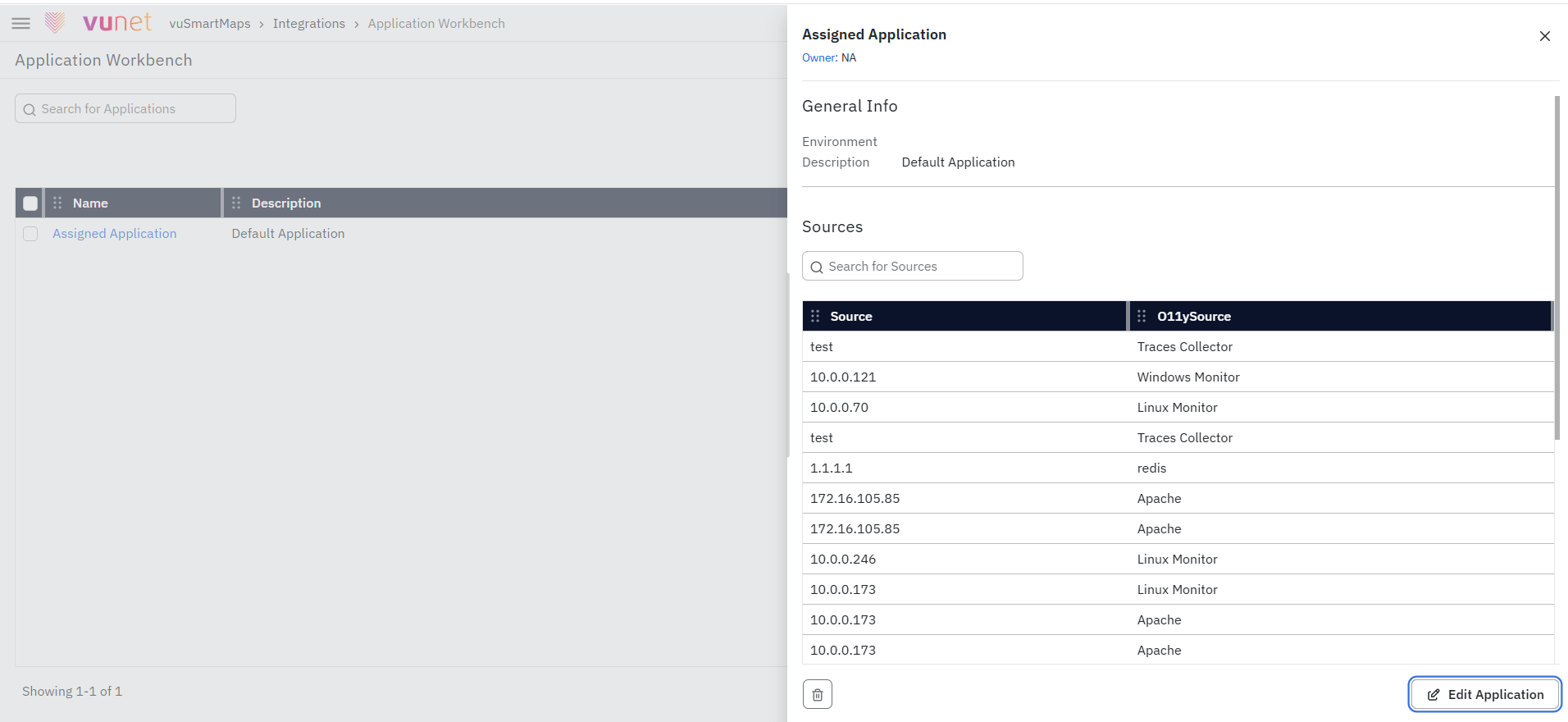
You'll see:
- General Info section: Application name, environment, description
- Sources section: Complete table of all monitoring components
- Each row shows the source (IP/URL/hostname) and its O11ySource type
- A search bar to filter sources if there are many
- Pagination controls if you have 10+ sources
Editing an Application
To modify an existing application:
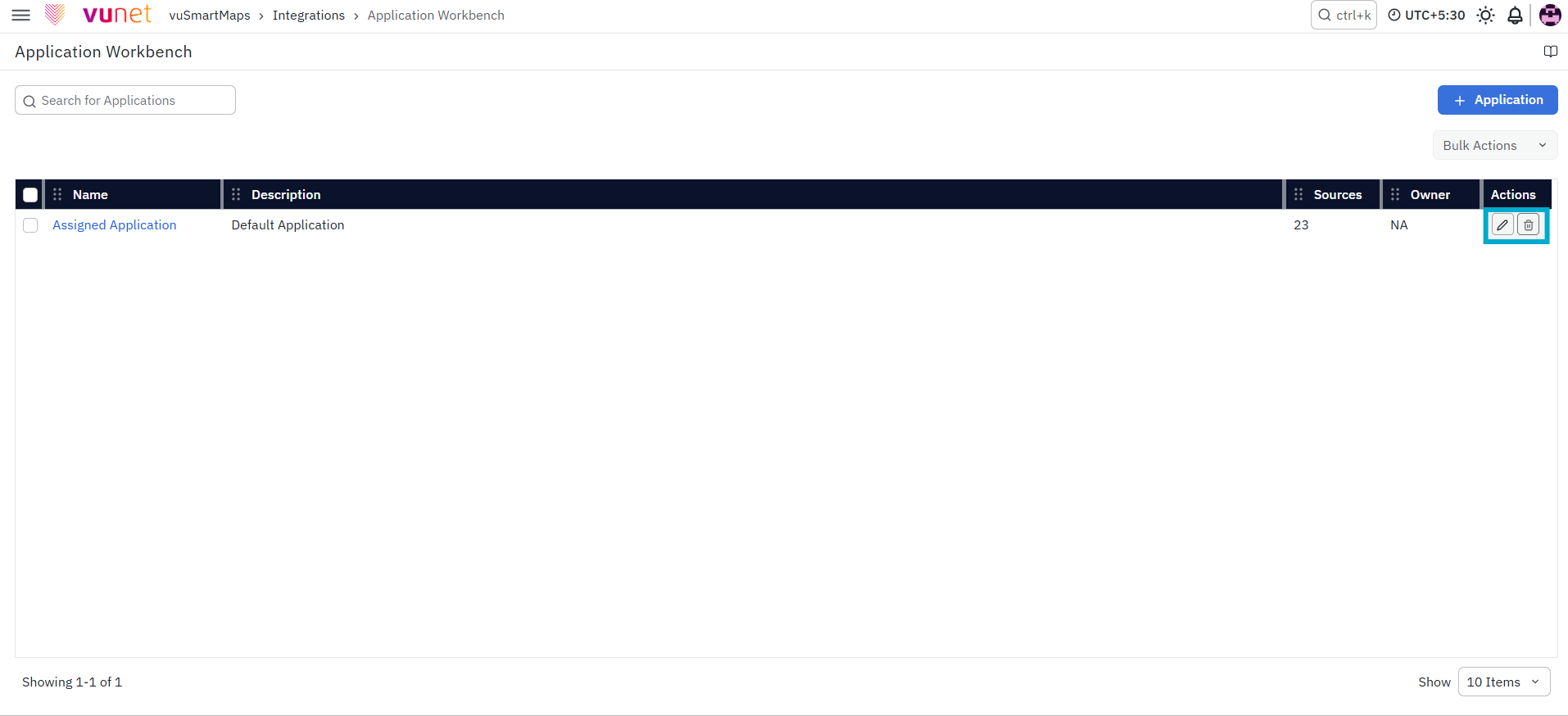
- Find the application in the list
- Click the edit icon (pencil) in the Actions column
- You can now:
- Update the application name or description
- Add new sources (click + Source)
- Remove existing sources (click the delete icon)
- Change the environment (in some cases)
- Click Save when done
What You Cannot Change:
- You cannot modify the original unique identifier (internal ID)—this stays the same for system tracking
- Some environments may be locked if sources are actively reporting data
Deleting an Application
To remove an application:
- In the main list, click the delete icon (trash) in the Actions column
- Important: If the application has sources attached, the system will warn you
- Review what will be affected
- Click Confirm to proceed, or Cancel to keep it
What Happens After Deletion:
- The application is removed from Application Workbench
- All attached sources become unassigned (marked as "undefined" in O11ySource)
- Historical data and alerts are preserved for audit purposes
What Happens After the Steps
After you complete the application creation process and click Save, the new application is added to the Application Workbench and becomes available for management.
The configured source instances are associated with the application, allowing related infrastructure components to be viewed and managed as a single business application. The application details, including its environment, owner, and mapped sources, become available for impact analysis, troubleshooting, and operational visibility.
Any future changes made to the mapped source instances in O11ySources are automatically synchronized with Application Workbench, ensuring the application remains up to date.
Troubleshooting
- Issue: Required O11ySource is not visible.
- Possible Cause: The required O11ySource is not configured.
- Solution: Configure the required O11ySource in the O11ySources module before creating the application.
- Issue: Source Instance is missing.
- Possible Cause: The Source Instance is not reporting data.
- Solution: Verify the Source Instance health, connectivity, and data collection status.
- Issue: Unable to save the application.
- Possible Cause: Required fields are missing.
- Solution: Verify that the Application Name, Environment, and Source Mappings are configured before saving.
- Issue: Duplicate application name error.
- Possible Cause: An application with the same name already exists.
- Solution: Specify a unique application name and save the configuration again.
- Issue: Unable to select an environment.
- Possible Cause: Environment configuration is restricted.
- Solution: Contact the platform administrator to verify the available environment configurations and user permissions.
- Issue: Source mapping is not appearing.
- Possible Cause: Synchronization delay or configuration issue.
- Solution: Refresh the page and verify that the required O11ySource mappings are configured correctly.
- Issue: Application deletion is blocked.
- Possible Cause: The application has associated dependencies.
- Solution: Review the linked sources, dependencies, and user permissions before deleting the application.
- Issue: Source data appears stale.
- Possible Cause: The monitoring source is not reporting data.
- Solution: Verify the Source Instance status, connectivity, and ensure data collection is functioning correctly.
FAQs
What happens when an application is deleted?
Deleting an application removes the application grouping but does not delete monitoring data, alerts, or historical records. The attached sources become unassigned from that application.
Can I edit an application after it is created?
Yes. You can edit an application to update details, add new sources, or remove existing sources. Changes are reflected immediately.
What happens if a source stops reporting data?
The source remains attached to the application, but monitoring views may show missing or stale data until reporting resumes.
Can sources be added or removed outside Application Workbench?
Yes. Source instances can also be associated with applications directly from O11ySources, and those changes appear automatically in Application Workbench.
