Users and Roles
Overview
User & Roles is the feature in vuSmartMaps that controls who can access the platform and what they are allowed to do. It is the central place where administrators create user accounts, define roles, and set access permissions. A similar concept can be seen in a smartphone, where different users or apps are allowed to access only specific settings, files, or features based on permissions. In the same way, User & Roles in vuSmartMaps helps ensure that each team member can access only the platform areas and actions relevant to their responsibility.
Every user in vuSmartMaps is assigned one or more roles. A role is a named group that carries a specific set of permissions. Instead of setting permissions for each person individually, you configure a role once and then assign it to as many users as needed. This approach is called Role-Based Access Control (RBAC). RBAC ensures that team members can only view and interact with the parts of the platform that are relevant to their job. It prevents accidental or unauthorised changes to sensitive monitoring configurations, dashboards, or alert rules.
Key Benefits of User & Roles
Let's explore the key benefits that User & Roles brings to your vuSmartMaps experience:
- Role-Based Access Control (RBAC): We use RBAC to let you grant access selectively. This ensures that only authorized users can access specific functions, resources, or information.
- Preventing Unauthorized Access: RBAC acts as a protective shield, detecting and blocking unauthorized access while allowing authorized users seamless access during their work.
- Granular Permissions: Every feature and REST API within vuSmartMaps is mapped to specific permissions. Users with these permissions can use the associated features, giving you precise control over who accesses what.
- Efficient User Role Management: Create and manage user roles as needed, making access management across teams or divisions efficient. Our system maps each user to predefined roles, each with its set of permissions. This simplifies access management, aligning it with your organizational structure.
- Streamlined User Account Administration: User & Roles offers a user-friendly way to manage accounts, from adding and modifying users to considering their roles and permissions.
- Enhanced Security: User & Roles enhances the security of your vuSmartMaps environment. With RBAC, you can efficiently manage access by grouping users into predefined roles, saving time and effort.
- Precise Control: RBAC allows for precise control over user access by mapping permissions to specific features and resources, ensuring users only access what's relevant to their roles.
- Compliance and Data Protection: Aligning access with RBAC principles helps you meet industry regulations and data protection requirements. It safeguards sensitive information and maintains data integrity in vuSmartMaps.

Why This Feature Is Useful
In a banking or payment operations environment, many different teams access vuSmartMaps simultaneously. Some teams monitor live UPI transactions. Others investigate alerts on core banking systems. Senior managers review high-level dashboards. Support engineers drill into log data. Without access controls, any user could accidentally modify a critical alert rule, delete a dashboard, or view confidential transaction data belonging to a different business unit. User and Roles section solves these problems by giving administrators precise control.
Example Scenario
Consider a bank that uses vuSmartMaps to monitor its UPI payment journey. The following teams all use the platform:
- NOC Team: Monitors live transaction dashboards and responds to alerts. They need read access to dashboards and alert consoles but should not be able to modify alert rules.
- Platform Administrator: Manages the platform configuration. They need full access to all modules.
- Business Manager: Reviews high-level UPI performance dashboards. They should see only pre-approved dashboards and no raw transaction logs.
The administrator creates four roles — NOC Operator, Payment Analyst, Platform Admin, and Business Viewer — each with the appropriate permissions. Each team member is assigned the correct role. When a NOC engineer logs in, they see only their permitted dashboards and alerts. When the business manager logs in, they land directly on the executive UPI summary dashboard with no access to configuration modules.
When to Use This Feature
Use User & Roles in the following situations:
- When onboarding a new team member who needs access to vuSmartMaps.
- When a team member changes role or moves to a different department, their access must be updated.
- When a team member leaves the organisation and their account must be removed.
- When a new team or business unit joins the platform and needs its own customised role with specific permissions.
- When you want to restrict a role from accessing certain types of data — for example, preventing the support team from viewing raw transaction logs.
- When you need to perform an access audit — the export feature allows you to download a full list of users and their roles.
- When you want to set a personalised default landing dashboard for a specific team so they see the most relevant information immediately upon login.
Comprehensive Understanding
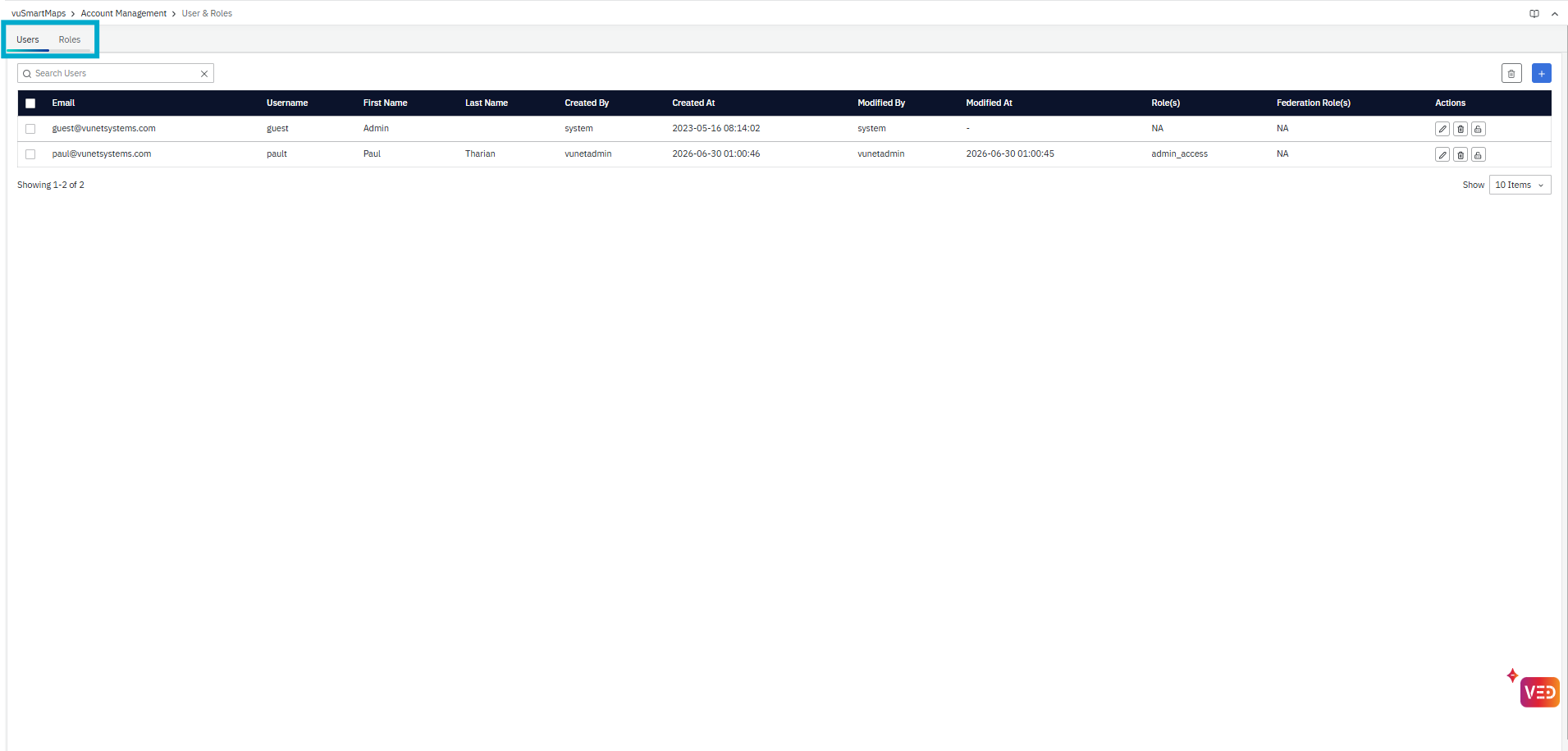
-
The User Management page can be accessed from the platform left navigation menu by navigating to Account Management > User & Roles. The page contains two main tabs:
-
The users' page lists the existing users and their details. The operations related to the users can be done from this tab.
-
The roles page lists the various existing user roles and permissions associated with them. The operations related to the Roles can be done from this tab.
