NG 3.2.3

πŸ—“οΈ ⏱️ 13 min read

Overview​

The vuSmartMapsβ„’ NG 3.2.3 patch release continues to build out ingestion and integration options for O11ySources, adding an OTel Collector-based ingestion path for Log Collector and Custom Token Authentication support across ITSM and WhatsApp alerting integrations. This release also introduces Server-role TLS certificate support, used first by a revamped Syslog O11ySource with UDP, TCP and TLS listeners, and ships a round of Telegraf service-routing and deployment-template fixes that resolve shared-module ambiguity and a ConfigMap size-limit regression.

Beyond these new capabilities, 3.2.3 addresses issues across alerting (Alert Analysis dashboard queries, hyperscale and threshold-based alert conditions, and WhatsApp channel template handling), several O11ySource dashboards and configuration pages (Radware, FortiGate, SPV, RUM/MRUM, Disk Usage, and more), and platform reliability (PostgreSQL read-after-write consistency behind pgpool, Kafka materialized-view handling, and report generation recovery after lost database connections).

Log Ingestion & ITSM Integration Enhancements​

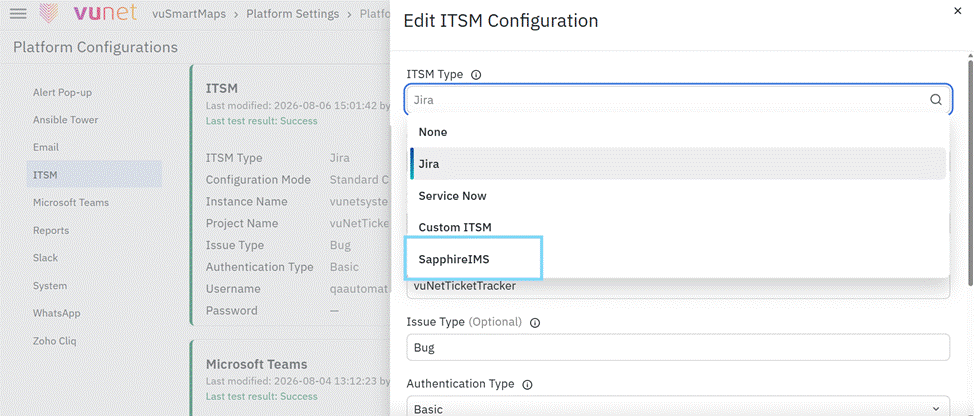
NG 3.2.3 adds a new, agentless method for Log Collector sources to deliver logs, and extends Custom Token Authentication β€” already used by ITSM integrations β€” to the WhatsApp alerting channel, alongside automatic Jira ticket status transitions driven by the alarm lifecycle.

Log Collector: OTel Collector Ingestion Method​

OTel Collector as an Alternative Log Ingestion Method​

Log Collector sources can now send their logs to VuNet's OTel Collector using OTLP, as an alternative to the existing Log Agent method (vulogagent/logbeat), which requires installing an agent on the host. This is a per-source choice, so sources that keep using Log Agent are unaffected. When OTel Collector is selected, Cairo deploys a dedicated OTel Collector container for the source in Kubernetes, the same way it already deploys the traces and RUM collectors, backed by a new deployment template, a VUGENLOG_INSTANCES environment variable so replicas split configuration correctly, and a corresponding image-sync mapping. A Kafka topic-naming bug that had sent OTel-ingested logs to a topic no ClickHouse table actually consumed from was also fixed, along with an is_managed_by_omniagent check that could incorrectly route an OTel-mode source's host down the OmniAgent push path.

CCBD-5746: Log Collector β€” add OTel Collector as a log ingestion method (cairo, vublock-store, hanoi)

ITSM & Alerting Channel Integrations​

Custom Token Authentication for ITSM Integrations​

Added Custom Token Authentication to the Go alert engine, bringing it to parity with the existing Python implementation. The new auth type logs in to a separate authorization server, reads the token from the response, caches it in memory until expiry (refreshing a minute early), and clears the cached token on a 401/403 response. This release also brings the custom ITSM flow in Go in line with Python in several places that had drifted: configured HTTP methods are now honored, a 404 on ticket lookup now falls back to a search by summary instead of always creating a duplicate ticket, custom headers are sent as headers rather than merged into the body, and proxy settings (scoped to auth, ITSM, or both) are now respected.

CCBD-5433: Custom Token Authentication support for ITSM integrations (rosario)

Custom Token Authentication in the WhatsApp Channel​

Custom Token Authentication is now a selectable authentication type for the WhatsApp channel's Custom API type, reusing the Custom Token Auth engine already used by ITSM. A new optional token_expiry.expires_at setting supports gateways whose login response has no expiry field of its own. The shared cached-token handling was also hardened: a 401/403 now clears the cached token so the next call logs in again, a cached token is treated as expired 60 seconds early, and saving the WhatsApp or ITSM preference now deletes the cached token so a changed secret, URL, or header takes effect immediately rather than after the old token expires.

CCBD-5918: Support Custom Token Authentication in the WhatsApp channel (cairo)

Jira Ticket Status Transitions on the Alarm Lifecycle​

When an alarm creates, updates, or clears a ticket, the linked Jira ticket now also changes status, using the Jira transitions API β€” previously the ticket remained in the β€œTo Do” status even after the alarm was cleared, even after the alarm cleared. The target status for each action is configurable under transition_config (with sensible VUNETTRACK defaults: update β†’ In Progress, close β†’ Completed), and the whole behavior can be turned off with a single setting. A failed status change is only logged; the underlying ticket creation, update, or close still succeeds.

VUQA-7200: Move the Jira ticket to the configured status on alarm create, update and clear (cairo)

Server-Role TLS Certificate Support​

This release adds Server-role TLS credentials across the platform, alongside the existing Client-role credentials, so O11ySources that terminate incoming TLS connections β€” rather than only call out over TLS β€” are now supported end to end.

TLS Certificate/Key Support for Server-Role Credentials​

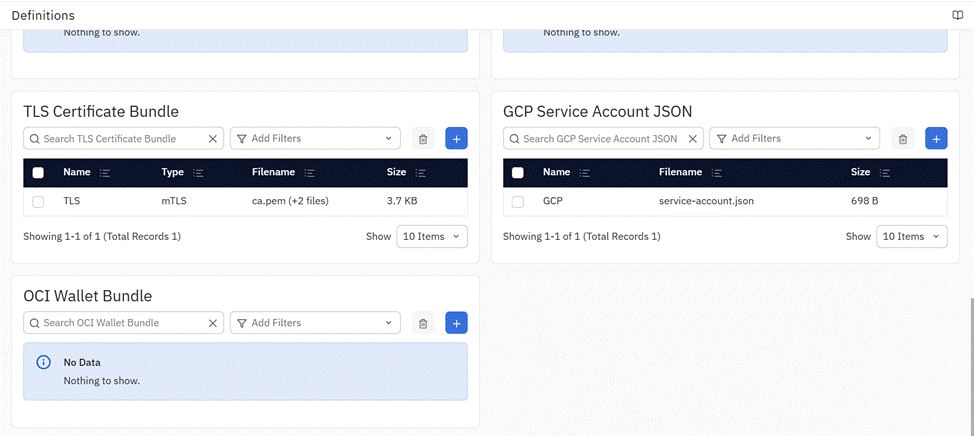
Added role-aware TLS certificate and private-key handling across Cairo (validation, compatibility filtering, and runtime file resolution/materialization) and Kolar (a Client/Server role selector and role-specific certificate and key slots in the credential UI), including CA support for mutual TLS. Legacy credentials with no role set are preserved as Client-role credentials, so existing configurations are unaffected.

CCBD-5765, CCBD-5766: Add Server-role TLS certificate/key support with role-aware validation and resolution (cairo, kolar)

Syslog O11ySource with TLS Support​

Revamped the Syslog O11ySource onboarding and configuration experience to add TLS alongside the existing UDP and TCP listeners (UDP/TCP on port 5514, TLS on port 6514), support for RFC5424, RFC3164, and common Cisco Syslog formats, and custom Grok patterns shared across all configured listeners. TLS listeners require a server-role tls_certificate_bundle credential. Dashboards were updated to use a normalized Syslog view with new Location, Environment, and Server Name filters, and Kafka partition distribution and Syslog metric processing were improved.

CCBD-5767: Syslog O11ySource with TLS Support (vublock-store)

Telegraf Service Routing & Deployment Fixes​

Shared Telegraf Module Routing Fix​

Fixed Telegraf routing so that when a module (for example, exec) belongs to more than one cluster-config group, the source's own deployment template is used to select exactly one matching service, with an explicit error if the match is missing or ambiguous, instead of silently taking the first match in JSON order. The NetFlow O11ySource was also pointed at the unified telegraf_global_receiver.yaml template, and Hanoi's release/3.2 cluster config now identifies the deployment template filename for each existing Telegraf group.

CCBD-5928: Fix Telegraf service routing for shared modules (cairo, hanoi, vublock-store)

Telegraf ConfigMap Size-Limit Regression Fix​

Restored startup fetching of configuration from MinIO for every Telegraf deployment with settings, independently of credential delivery mode. Without this fix, Telegraf deployments without file-delivery credentials fell back to ConfigMaps on release/3.2, reintroducing Kubernetes' 1 MiB size limit for an individual config file.

CCBD-5924: Fix Telegraf ConfigMap size limit regression (vuLauncher)

Hanoi Template Updates for Syslog TLS​

Exposed the Syslog TLS receiver on TCP port 6514, moved the existing plain TCP listener to port 5514 using hostPort while retaining UDP on 5514, and allowed receiver volumes to use a Kubernetes Secret when a SecretName is supplied, while retaining ConfigMap volumes for other entries.

CCBD-5909: Update Hanoi release/3.2 templates (hanoi)

Enhancements​

Platform / Deployment Enhancements​

LiteLLM and VectorServe Backport​

Backported the LiteLLM service and VectorServe (including the DM_MCP app code for data-model discovery) to release/3.2, together with supporting vserve memory, worker-count, and config.yaml changes needed to run them on this release line.

CCBD-5598, CCBD-6064: Backport LiteLLM and VectorServe to release/3.2 (hanoi, muscat, perth, VectorServe)

Bundle & Version Management​

Added a new only-ML bundle type (dropping vuKube), stamped NG_VSMAPS_VERSION into vunodes at bundle time, and fixed the hotfix bundle type and manifest.json release file handling.

CCBD-6082, CCBD-5808, CCBD-6250: Bundle type, version stamping and release manifest changes (hanoi)

MRUM / BRUM Enhancements​

Delivered a set of MRUM enhancements for release 3.2, added Session Replay and Trace Map dashboards for brum_v2, and updated the Kubernetes role bindings used by the BRUM and MRUM collector pods.

CCBD-6105, CCBD-6239, CCBD-6100: MRUM/BRUM dashboard and role-binding updates (vublock-store, hanoi)

FortiGate and Palo Alto O11ySource Enhancements​

Ported the complete Palo Alto package from develop to release/3.2, and added SD-WAN and Monitored Link OIDs to FortiGate Firewall SLA Monitoring.

CCBD-5794, CCBD-6314: Palo Alto package port and FortiGate SD-WAN/link OID support (vublock-store, cairo)

Kafka Consumer Message Metadata​

Added Kafka message metadata to the kafka_consumer input plugin.

CCBD-6330: Add Kafka message metadata to kafka_consumer input plugin (helsinki)

Other Platform Changes​

The release also includes: Teams webhook and OmniAgent-enable documentation updates, a systemd-managed single health binary for vuHealth, use of an App token for private Go module access, and removal of the unused Temporal services entry from vuLauncher's config.yaml.

CCBD-6107: Use App token for private Go modules (helsinki)

O11ySource Configuration​

Hyperscale & Postgres O11ySource Metadata Normalization​

Normalized hyperscale O11ySource metadata, fixed Postgres O11ySource repackaging (a missing targets_field/target_identifier_field combination), and corrected the URL validation regex used by the HTTP Poller O11ySource.

CCBD-6068, CCBD-6099, CCBD-6087: O11ySource metadata and validation fixes (vublock-store)

Updated Get Started Here (GSH) configuration, alert definitions, documentation links, and O11ySource fields.

NCS-2718: Update GSH configuration, alerts, documentation links and O11ySource fields (vublock-store)

Credential Handling Fix for O11ySources​

Fixed an issue where credential values were generated as null for O11ySources.

CCBD-5899: O11ySources β€” credential values generated as null (kolar)

Bug Fixes​

Alerting Bug Fixes​

Alert Analysis Dashboard Query & Upgrade Fixes​

Fixed two panels in the Alert Analysis dashboard that queried incorrect data, and ensured the dashboard is overwritten β€” rather than skipped β€” during upgrade, so the fix actually reaches environments that are upgraded from an earlier version.

VUQA-7254: Fix incorrect Alert Analysis dashboard queries and ensure the dashboard is overwritten on upgrade

Alert Summary Drill-Down O11ySource Filter​

Fixed the Alert Summary drill-down so that it filters with respect to the correct O11ySource instead of returning unfiltered results.

VUQA-7231: Fix Alert Summary drill-down O11ySource filtering

Hyperscale and Threshold-Based Alert Condition Fixes​

Fixed hyperscale alert scripts that always fired, never fired, or raised errors; added a missing check for None values to the EIGRP High RTO alert; and fixed always-firing alert conditions on the Nginx and Tomcat O11ySources.

CCBD-6226, CCBD-6225: Fix hyperscale, EIGRP, Nginx and Tomcat alert condition bugs (vublock-store)

WhatsApp Alert Channel Template Handling​

Fixed the WhatsApp alert channel being disabled when a UI-saved alert rule had no template specified.

NCS-2696: Fix WhatsApp alert channel disabled with no template specified for UI-saved rules (cairo)

Alert Console UI Migration Fixes​

Fixed Alert Console UI migration issues that carried over from an earlier change.

CCBD-2215: Alert Console UI migration fixes (cairo)

O11ySource Bug Fixes​

Dashboard Field & Metric Fixes​

Fixed O11ySource dashboards that displayed raw argMax() column names because field overrides still referenced anyLast(); fixed the Disk Usage panel showing incorrect values due to an invalid metric configured in the Override section; and updated the Trace ID data links in the Transaction Analytics dashboard.

VUQA-7241, VUQA-7237, VUQA-7240: Dashboard field, metric and data-link fixes (vublock-store)

Dashboard Filter & Navigation Fixes​

Fixed a Radware Load Balancer dashboard filter mismatch and its GSH port configuration; fixed O11ySource landing pages redirecting to the old Alert Console URL from the Active Alerts panel; fixed clicking the VuNet logo resetting the user's configured home page; and fixed axis-label text measurement in the theme font so chart labels are no longer clipped.

VUQA-7223, VUQA-7202, VUQA-7222, VUQA-7230: Dashboard filter, navigation and axis-label fixes (vublock-store, nairobi)

Agent & Collector Fixes​

Fixed VuAppAgent failing to initialize due to missing package configuration and an empty lib directory; fixed the Traces Collector pod getting stuck in Container Creating state; replaced the inventory Kafka reader when partitions have no consumer; fixed the pgpool split-brain-prevention sidecar pulling an unbundled kubectl image; updated the MRUM deployment template's Traefik API version; and updated role bindings for the BRUM and MRUM collector pods.

VUQA-7249, VUQA-7226, VUQA-7208, CCBD-6180, CCBD-6258, CCBD-6100: Agent and collector reliability fixes (vuAppAgent, vuLauncher, kyoto, hanoi)

Configuration & Access Fixes​

Fixed the SPV Config page not loading; fixed a service monitoring issue at the source level; prevented in-form VuButtons from submitting forms unintentionally; fixed the SQL query editor autocomplete returning no suggestions; fixed outdated documentation links on the O11ySource Get Started pages; and updated the license and user-count checks to count only enabled users.

VUQA-7121, VUQA-7205, VUQA-7201, VUQA-7195, VUQA-7180, VUQA-7210/VUQA-7128: Configuration, UI and licensing fixes (vublock-store, kolar, vu_auth_provider, cairo)

Platform & Database Bug Fixes​

PostgreSQL Read-After-Write Consistency Behind Pgpool​

Fixed PostgreSQL read-after-write consistency issues occurring behind pgpool, ported across Cairo, vu_auth_provider, and the datamodel-create path.

VUQA-7178: Fix PostgreSQL read-after-write consistency issues behind pgpool (cairo, vu_auth_provider, denver)

Materialized View and Kafka Master-Topic Distribution Fixes​

Fixed a materialized view (MV) query handling bug that caused an IndexError on repeated creation calls against the same object, ensured every custom MV query is validated, and improved Kafka master-topic distribution so unique topics are balanced evenly across the minimum required number of masters instead of filling one master before moving to the next.

CCBD-5903, CCBD-5894: Fix materialized view query handling and Kafka master-topic distribution (vu_auth_provider)

Report Generation Recovery After Lost DB Connections​

Fixed report generation so that it recovers from lost database connections instead of failing outright.

VUQA-6890: Recover report generation from lost DB connections (cairo)

Post-Install Orchestrator Upgrade Fix​

Fixed the vu-post-install-orchestrator service failing to upgrade on NG-3.2.

VUQA-7204: Fix vu-post-install-orchestrator service upgrade failure (vu-postinstall-orchestrator)

Pgpool/Repmgr Failover Hardening​

Hardened Pgpool/repmgr failover handling, tuned PostgreSQL memory settings, and reduced Pgpool logging noise.

DVSO-1193: Harden Pgpool/repmgr failover and tune PostgreSQL memory (hanoi)

Minor Fixes​

Test Cleanup​

Removed a JUnit 3 template test and an unused dependency from otel-class-method.

VUQA-7191: Remove JUnit 3 template test and dependency from otel-class-method (java-otel-sdk-extension)

Summary​

The NG 3.2.3 patch release expands O11ySource integration options with an OTel Collector ingestion path for Log Collector, Custom Token Authentication for both ITSM and WhatsApp channels, automatic Jira ticket status transitions, and Server-role TLS certificate support β€” used first by a revamped Syslog O11ySource. It also includes Telegraf service-routing and deployment-template fixes, platform enhancements spanning LiteLLM/VectorServe backports, bundle and version management, and MRUM/BRUM dashboards, plus bug fixes across alerting, O11ySource dashboards and configuration, and platform database reliability. Together, these updates round out the 3.2 line with safer ingestion options, stronger TLS support, and a more reliable alerting and dashboarding experience.
NG 3.2.2

πŸ—“οΈ ⏱️ 10 min read

Overview​

The vuSmartMapsβ„’ NG 3.2.2 patch release is centered on supporting OmniAgent migration in environments migrated from NG 2.16 to NG 3.2, including Telegraf-based O11ySources. This includes a dedicated Telegraf migration script and a new Advanced Configuration capability for O11ySources that lets supported custom and legacy agent configuration be carried forward safely during migration.

Beyond migration, this release delivers platform and O11ySource configuration enhancements, and addresses issues across O11ySource validation, APM dashboards, tracing, BRUM Session Replay, and other platform areas. Fixes include improved probe recovery after service crashes, support for dynamic HTTP payload capture URL patterns, and ClickHouse readiness checks before database migrations. Additional improvements resolve documentation link issues, restore access to the VQL User Guide, and fix pipeline editor visibility issues in ContextStreams.

OmniAgent Migration (including Telegraf Migration)​

NG 3.2.2 extends platform support for customers migrating from NG 2.16 to NG 3.2 using OmniAgent, including Telegraf-based O11ySources. This release adds a dedicated Telegraf migration script and introduces an Advanced Configuration capability that allows supported custom agent configuration to be preserved during migration, in addition to reliability fixes that improve the migration and post-migration OmniAgent experience.

Telegraf Migration Support (Migration Postjob)​

Added a Telegraf migration upgrade workflow consisting of a new manage_vublock o11ysource reapply vublock-store CLI command and three sequenced post-install upgrade jobs. The workflow creates the required Environment/Application records ahead of O11ySource reimport, reapplies and resaves Telegraf-based O11ySources (omni_dcm and vutelenode agent types) through existing Cairo APIs so they pick up the latest deployment templates and agent images, and removes older Telegraf deployment artifacts from MinIO after backing them up for rollback.

CCBD-5305: Telegraf migration (O11ySources) – migration postjob

Advanced Configuration Framework for O11ySource Components​

Added a generic Advanced Configuration framework for O11ySource components, spanning vublock-store metadata authoring, Cairo validation, ownership enforcement and merging into the generated agent configuration, and an O11ySource UI code editor field with starter content. Three ownership tiers are enforced: standard UI-owned fields, platform-controlled fields, and metadata-approved Advanced Configuration fields. Overrides cannot modify UI- or platform-owned settings.

The primary v1.0 use case is migrating legacy Healthbeat and Logbeat agent configuration to OmniAgent. A migration REST API and Django management command analyze a host's legacy configuration, classify each difference as an accepted Advanced Configuration override or a rejected finding, and provide the result to migration tooling so supported custom configuration is carried forward.

CCBD-5334, CCBD-5379: Introduce Advanced Configuration in the O11ySource UI

Migration Reliability Fixes​

Eventlogbeat Probe Visibility After OmniAgent Migration​

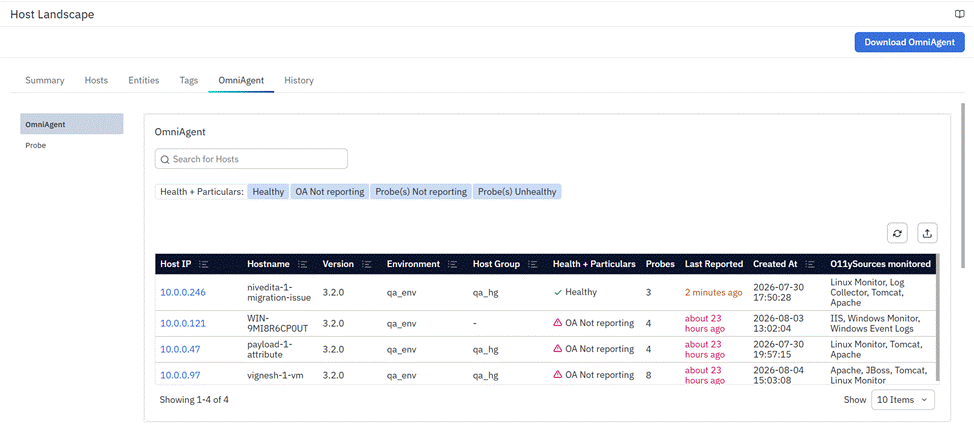
Fixed an issue where the eventlogbeat probe was not displayed in Host Landscape after OmniAgent migration. The probe agent-type filter now includes eventlogbeat.

VUQA-7166: Add eventlogbeat to probes agentType filter

Automatic Windows Service Restart After Crash​

Fixed an issue where the OmniAgent Windows service did not restart automatically after its process crashed. Windows service recovery actions are now configured at install time. Existing installations pick up this policy when omniagent install is rerun or an administrator applies it manually with sc failure.

VUQA-7176: Add automatic service restart after crash on Windows

Windows OmniAgent Package Distribution Fix​

Updated Windows OmniAgent package distribution to use a ZIP archive instead of TAR.GZ. This resolves migration failures on Windows Server 2016, where the tar utility is not available by default.

VUQA-7174: Ship the Windows OmniAgent package as ZIP

Enforce TLS 1.2 for Windows Remote Installation Downloads​

Updated the Windows remote installation download process to enforce TLS 1.2 when downloading the OmniAgent package.

VUQA-7174: Force TLS 1.2 in the Windows remote install download

Preserve Log Collector Configuration During OmniAgent Migration​

Fixed migration of Log Collector sources with multiple independently configured legacy inputs, which could merge inputs or drop custom fields. Migration now keeps each host/category's extra legacy inputs as independent Advanced Configuration entries and preserves root-level custom fields such as doc_type and log_file_path, so each input renders and routes correctly after migration.

VUQA-7179: Preserve independent Log Collector migration inputs

Probe Status and Recovery After OmniAgent Restart​

Fixed an issue where restarting OmniAgent caused the platform to stop and reinstall every probe because each probe reported an empty status on its first heartbeat. OmniAgent now reports each probe's last saved package and configuration status on startup. This also fixes bulk configuration updates waiting behind stale replays, failed package installs getting stuck without retrying, and one agent's configuration status incorrectly updating another agent's record.

VUQA-7189: Report saved probe status on cold start, and fix related package and config status faults

Enhancements​

Platform / Deployment Enhancements​

Accurate Patch Release Version Display​

Enhanced the About page to show the correct vuSmartMaps release version, including the patch number. The NG_VSMAPS_VERSION environment variable now takes precedence when configured, preventing incorrect version numbers caused by automatic increments in the .version file. If it is not set, the existing version retrieval mechanism is used.

CCBD-5808: Support NG_VSMAPS_VERSION env override for release version display

ClickHouse Installation Readiness Check​

Enhanced the ClickHouse Helm chart with a readiness check that makes Helm installation and upgrade operations wait until the ClickHouseInstallation (CHI) resource reaches the Completed state. The check includes least-privilege RBAC permissions and configurable settings, helping prevent deployments from being marked complete before ClickHouse is ready.

CCBD-6020: Add ClickHouse Installation Readiness Check as a Helm Hook

O11ySource Configuration​

Windows Server 2022 Datacenter Azure Edition Support​

Updated the Windows Monitor O11ySource GSH supported operating systems list to include Windows Server 2022 Datacenter: Azure Edition. Validation confirmed OmniAgent with the Healthbeat probe successfully collects and delivers data on Windows Server 2016, 2019, 2022 Standard, and 2022 Datacenter: Azure Edition.

CCBD-5960: Add Windows Server 2022 Datacenter Azure Edition to GSH supported OS list

Kafka Version and Data Format as User Inputs​

Added Kafka Version and Data Format as explicit, user-configurable inputs in the Kafka Data Collector O11ySource, giving users direct control over these parameters instead of relying on fixed defaults. This ports forward an enhancement already available in another release line to the 3.2 line.

CCBD-5732: Add Kafka Version and Data Format as User Inputs in Kafka Data Collector O11ySource

Kafka KRaft Metrics Support (via Jolokia)​

Enhanced the Kafka O11ySource to collect Kafka KRaft-mode metrics through Jolokia, alongside existing Kafka metrics. The package includes new KRaft dashboards and alerts, an updated metrics schema, and a UI option to enable Jolokia-based collection. Existing ZooKeeper-based Kafka monitoring is unaffected. This release also fixes Kafka O11ySource OmniAgent discovery, which was keyed on Instance Name instead of Instance IP, and restores the Advanced Configuration field in the Kafka O11ySource UI.

CCBD-5339, NCS-2694: Collect Kafka KRaft metrics via Jolokia and fix Kafka OmniAgent discovery

Bug Fixes​

O11ySource Bug Fixes​

Hidden Conditional Field Validation Fix​

Fixed O11ySource save validation when a required field is hidden by another field's value. Validation now skips the required check for conditionally hidden fields. Also fixed source field order drifting after repeated edits due to Postgres not preserving field order: the source definition's field order is now authoritative, and existing sources with incorrect order self-heal automatically.

CCBD-5793: Fix O11ySource save validation for hidden fields and source field-order drift

Kafka O11ySource Required Field Validation​

Fixed Kafka O11ySource wizard fields being treated as optional regardless of the selected Package Type. Field configuration now correctly identifies mandatory values for the selected type, while applicable service-specific fields remain optional.

CCBD-5792: Kafka O11ySource wizard shows required fields as optional regardless of Package Type

Correct Supported Operating Systems for IIS O11ySource​

Updated IIS O11ySource GSH configuration to include only supported Windows operating systems, removing Linux and other non-Windows entries from both the supported OS list and packaged agent binaries.

CCBD-5908: Update GSH Supported OS List for IIS O11ySource to retain only Windows-based operating systems

APM / Tracing Bug Fixes​

Smart Frame Label Standardization and Trace Map Span Ordering​

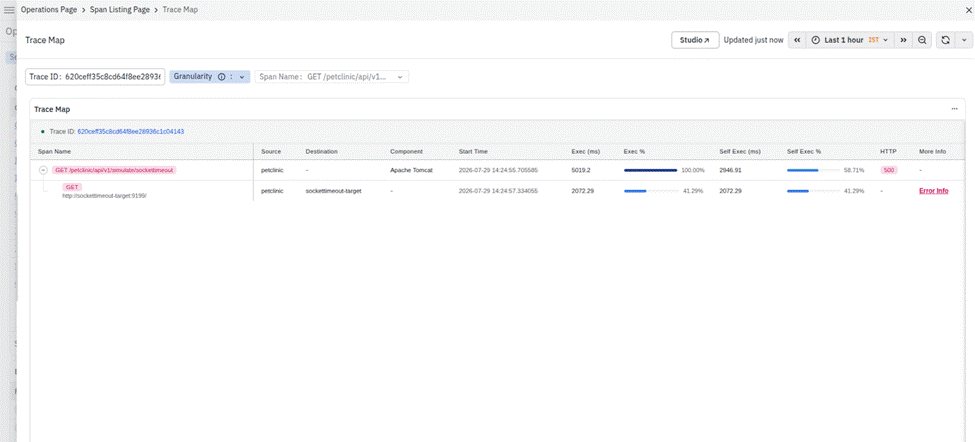
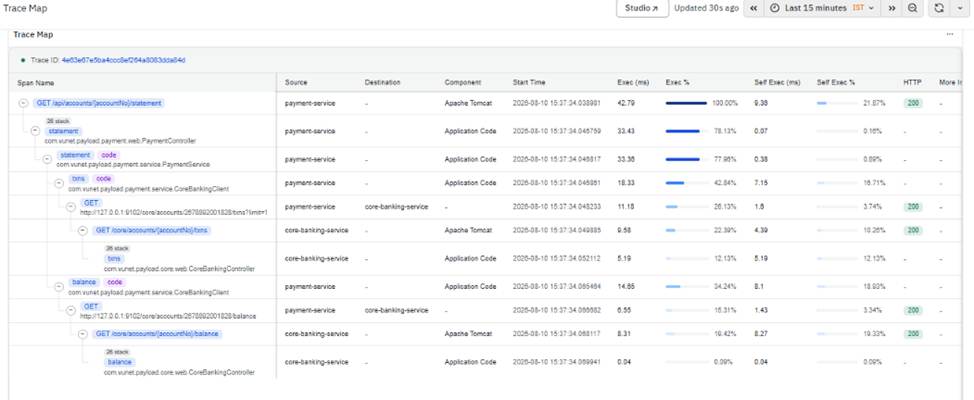
Standardized Smart Frame labels so Transaction page labels align with the Service Catalogue. Trace Map spans at each level are now displayed in chronological timestamp order. Refer to APM Dashboards – Latency Insights and APM Dashboards – Error Insights.

VUQA-7145: Replace β€œRCA” terminology with β€œInsights” and standardize metric labels across APM dashboards
VUQA-7136: Fix Trace Map spans not displayed in chronological timestamp order

Wildcard Support for HTTP Payload Capture URL Matching​

Enhanced HTTP payload capture URL matching to support dynamic URL patterns: {id} matches a variable path segment and * matches trailing segments. This release also fixes Java tracing agent startup on Java 8, excludes application/x-www-form-urlencoded request and response bodies from capture to avoid capturing personal data, and isolates capture failures so one problematic rule does not affect application request handling or other rules.

VUQA-7152: Wildcard support missing in HTTP payload capture URL matching

BRUM Session Replay DOM Desynchronization Fix​

Fixed BRUM Session Replay showing a blank or corrupted page instead of user interactions. Replay now sends event batches one at a time in order and automatically resynchronizes with a fresh snapshot if events are lost. Inline images and web fonts are no longer captured by default because they were a main cause of oversized batches; they can be re-enabled through replayCapture.

VUQA-7137: Fix DOM desynchronization in BRUM Session Replay

Database Upgrade Readiness Bug Fixes​

ClickHouse Readiness Check Before Migrations​

Added a readiness check before database migrations to verify that the default Postgres database and every ClickHouse shard and replica are reachable. If any are unavailable, migration stops immediately with a clear error listing unreachable databases instead of starting and failing partway through.

VUQA-7185: Check DB reachability before running migrations

Other Platform Bug Fixes​

Fixed broken and outdated links from O11ySource Get Started and configuration pages. OmniAgent installation, Traces instrumentation, and MRUM instrumentation links now point to the correct documentation paths.

VUQA-7180: Fix documentation links from the Get Started page and update APM Dashboard documentation

Restored the VQL help links in Data Explorer's search bar, selected-filters row, and Query Form. They now open the VQL User Guide with noopener and noreferrer security attributes.

VUQA-7190: Restore VQL user-guide link

Pipeline Editor Info Tab Visibility Fix​

Fixed a ContextStreams Pipeline Editor layout issue that caused the tabs bar to appear squeezed or collapsed. The page content is now grouped under a single container so the tabs and content render at full size.

VUQA-7193: Fix Pipeline Editor tabs shrinking

Summary​

The NG 3.2.2 patch release supports OmniAgent migration for environments moving from NG 2.16 to NG 3.2. It adds Telegraf migration support and an Advanced Configuration framework that safely preserves supported custom agent configuration, alongside migration reliability fixes. The release also improves platform and O11ySource configuration and addresses issues with field validation, APM dashboard labels and trace ordering, BRUM Session Replay, database migration readiness, documentation access, and ContextStreams pipeline editing. Together, these updates provide a safer migration path and a more consistent, reliable experience for vuSmartMaps users.

NG 2.16.19

πŸ—“οΈ ⏱️ 3 min read

Overview​

vuSmartMapsβ„’ NG 2.16.19 introduces two new O11ySources for Anthos Service Mesh and Apigee Hybrid, expanding monitoring across service mesh and API management environments. These integrations provide visibility into service communication, API traffic, performance, errors, and component health. The release also addresses reported Kernel and Brotli vulnerabilities and fixes Alert Console and Hyperscale alert issues, improving monitoring coverage, alert accuracy, platform reliability, and security.

New O11y Sources​

Anthos Service Mesh Monitoring​

Introduced a new Anthos Service Mesh (ASM) O11ySource for service mesh environments deployed using Google Anthos Service Mesh. It provides visibility into mTLS status, certificate rotation, service-to-service latency, error rates, distributed tracing, route distribution, and load-balancing behavior. It also covers Envoy sidecar resource utilization and communication between clusters, helping users monitor mesh health and troubleshoot communication and performance issues across distributed services.

CCBD-5935: New O11ySource – Anthos Service Mesh

Apigee Hybrid Monitoring​

Introduced a new Apigee Hybrid O11ySource for environments deployed on Google Kubernetes Engine (GKE). It collects metrics through Google Cloud Monitoring and logs from key Apigee Hybrid components. Monitoring covers API proxy traffic, request and response latency, faults, backend performance, policy execution, Cassandra runtime, and other component-level metrics, helping users monitor API operations and troubleshoot performance issues and errors.

CCBD-4744: New O11ySource – Apigee Hybrid

Enhancements​

Remediation of Kernel and Brotli Vulnerabilities​

Addressed reported Kernel and Brotli vulnerabilities affecting identified vuSmartMaps components. The necessary fixes have been applied to improve the overall security of the platform.

CCBD-6255: Remediation of Kernel and Brotli Vulnerabilities

Bug Fixes​

Alert Console UI Issues During Alert Data Migration​

Fixed an issue where alert migration failures in environments with large volumes of alerts could affect contextual data availability in the Alert Console UI. The fix removes the dependency on the migration process and prepares contextual data directly from the alert document when the contextual_data key is unavailable. If contextual data cannot be retrieved, an empty object is returned to prevent UI failures.

CCBD-2215: Alert Console UI Migration Fixes

Incorrect Nginx and Tomcat Hyperscale Alert Conditions​

Fixed incorrect conditions in Nginx and Tomcat Hyperscale alerts that caused alerts to fire continuously or fail to trigger. Nginx connection and request rate conditions now use the appropriate metrics and thresholds. The Tomcat waiting threads alert detects increases of 30% or more, with corrected time filtering and data calculations.

CCBD-6225: Fix Always-Firing Nginx and Tomcat Alert Conditions

Hyperscale Alert Scripts That Always Fire, Never Fire, or Raise Errors​

Fixed Hyperscale alert scripts across WebLogic, Nutanix, RabbitMQ, MongoDB, AWS MSK, SAP ASE, Azure Redis Cache, and other integrations. The fixes address incorrect threshold conditions, missing variables, invalid metric references, and script execution errors. Starlark compatibility issues have also been resolved so scripts execute correctly across supported execution engines. These changes reduce false alerts, prevent missed alerts, and improve the reliability of Hyperscale alert evaluations.

CCBD-6226: Fix Hyperscale Alert Scripts That Always Fire, Never Fire, or Raise Errors

Summary​

vuSmartMapsβ„’ NG 2.16.19 expands observability with new monitoring integrations for Anthos Service Mesh and Apigee Hybrid. It also includes security fixes for reported Kernel and Brotli vulnerabilities and addresses issues affecting the Alert Console UI and Hyperscale alert evaluations. These improvements provide better visibility, more accurate alerts, stronger platform security, and more reliable monitoring operations.

NG 2.16.18

πŸ—“οΈ ⏱️ 5 min read

Overview​

vuSmartMapsβ„’ NG 2.16.18 introduces four new O11ySources for ClickHouse, Harbor, GitLab, and DuckDB, expanding monitoring coverage across database workloads, container registries, DevOps platforms, and embedded database environments. These additions provide visibility into key operational and performance metrics, helping users monitor their environments and identify potential issues. The release also enhances AIX monitoring through Process metric set support in vuHealthAgent, enabling the collection of CPU and memory utilization metrics for resource-intensive processes. In addition, the release addresses issues related to UI login and dashboard loading caused by Keycloak connectivity timeouts and improves the consistency of O11ySource metadata across hyperscale alerts and dashboards.

New O11ySources​

ClickHouse Monitoring​

Introduced a new ClickHouse O11ySource to provide observability into ClickHouse database performance and operations. ClickHouse is an open-source, column-oriented database management system designed for real-time analytical workloads.

The new O11ySource provides visibility into insert and select query performance, disk read/write latency, network traffic, merge operations, and query failures. This enables users to monitor ClickHouse workloads, identify performance issues, and troubleshoot database operations more effectively.

  • CCBD-5731: New O11y Source – ClickHouse Monitoring

Harbor Monitoring​

Introduced a new Harbor O11ySource to provide observability into Harbor, an open-source container registry used to store, manage, and distribute container images and other OCI artifacts.

The new O11ySource provides visibility into image push and pull activity, project and repository storage growth, vulnerability scan results, replication job status, and API or authentication errors. This helps users monitor registry health, identify operational issues, and maintain visibility into container artifact management.

  • CCBD-5749: New O11y Source – Harbor Monitoring

GitLab Monitoring​

Introduced a new GitLab O11ySource to monitor GitLab, an open-source DevOps platform that supports source code management, CI/CD pipelines, issue tracking, and container registry operations.

The new O11ySource provides visibility into CI/CD pipeline success and failure rates, runner queue times and utilization, repository and project activity, API request latency and errors, and background job health. This helps users identify pipeline execution issues, monitor runner performance, and troubleshoot operational problems affecting GitLab workflows.

  • CCBD-5776: New O11y Source – GitLab Monitoring

DuckDB Monitoring​

Introduced a new DuckDB O11ySource to monitor DuckDB instances embedded within long-running microservices. The monitoring capability collects operational and performance metrics exposed by the hosting microservice through a Prometheus-compatible metrics endpoint.

The new O11ySource provides visibility into query traffic, query latency, query failures, active queries, memory usage, Parquet data loading health, load failures and retries, the last successful load time, and service readiness. This helps users monitor embedded DuckDB operations, identify query and data-loading issues, and assess the health of the hosting service. DuckDB monitoring is performed through the hosting microservice's exposed metrics rather than by monitoring a standalone DuckDB database server.

  • CCBD-5760: New O11ySource – DuckDB Monitoring

Enhancements​

AIX vuHealthAgent – Process Metricset Support​

Enhanced vuHealthAgent for AIX to support the Process metricset, enabling the collection of process-level CPU and memory utilization metrics from AIX servers.

The enhancement supports collecting the top 25 CPU-consuming processes and the top 25 memory-consuming processes. It also includes the required process-level metrics and metadata and forwards the collected data through the existing vuHealthAgent data flow. This enhancement provides users with greater visibility into process-level resource consumption, helping them identify resource-intensive processes and investigate high CPU or memory utilization on AIX servers.

  • CCBD-5721: AIX vuHealthAgent Enhancement – Add Process Metricset Support

Bug Fixes​

Fix UI Login and Dashboard Loading Issues Caused by Keycloak Connectivity Timeouts​

Fixed an issue in which Keycloak connectivity timeouts could prevent users from logging in to the vuSmartMaps UI and cause dashboard panels to fail to load. The issue was associated with Cairo service failures when attempting to connect to Keycloak and retrieve authentication tokens.

The fix addresses the reported authentication connectivity issue, helping restore UI access and dashboard data retrieval when the underlying Keycloak connectivity problem occurs.

  • VUQA-7210: Unable to Log In to vuSmartMaps UI and Dashboard Panels Fail to Load Due to Keycloak Connectivity Timeout in Cairo
  • NCS-2725: UI Freezing / Cairo Pod Instability Post-Upgrade

Normalize Hyperscale O11ySource Metadata​

Fixed inconsistencies in o11ysource_name metadata across hyperscale O11ySource alerts and dashboards. Previously, some alert scripts populated the metadata only under specific conditions, while some scriptless Mobile RUM alerts did not include the source metadata. Dashboard variables were also missing or did not consistently match the values used by alerts.

The fix ensures that the o11ysource_name metadata is consistently populated across the applicable alerts and aligned with the corresponding dashboard variables. It also corrects the identified alert-threshold comparison inconsistencies.

  • CCBD-6068: Normalize Hyperscale O11ySource Metadata

Summary​

vuSmartMapsβ„’ NG 2.16.18 expands observability capabilities with new monitoring integrations and enhanced process-level visibility for AIX servers. The release also includes fixes to improve access to the platform UI and dashboards and to ensure consistent O11ySource identification across applicable alerts and dashboards. These improvements help users gain broader visibility into their infrastructure and applications, investigate performance and operational issues more effectively, and access more consistent monitoring information for troubleshooting.

NG 3.2.1

πŸ—“οΈ ⏱️ 15 min read

Overview​

vuSmartMapsβ„’ NG 3.2.1 is a patch release of NG 3.2.1 that strengthens the β€˜NG 2.16 to NG 3.2.1 Traces migration workflow’, introducing backward compatibility, rollback support, CPU capability validation, and improved trace configuration handling. This release enables seamless migration of existing traces from legacy dashboards to APM Smart Frames, where legacy dashboards continue to work as-is while Smart Frames provide access to latest APM data.

For air-gapped environments without external registry access, NG 3.2.1 introduces β€˜enhanced local registry support’ that eliminates the dependency on GHCR or external registries. Helm charts can now be uploaded and managed through a configured local registry, ensuring seamless upgrades in disconnected environments.

Additionally, the release includes enhancements for O11ySource configuration, OmniAgent performance, Kubernetes security hardening, and platform deployment improvements. The release also resolves multiple issues affecting ADI discovery probe handling, O11ySource configuration and deployment, APM and distributed tracing, data model permissions, OmniAgent installation on Windows, log forwarding on AIX, and upgrade and migration workflows. These comprehensive improvements enhance platform stability, security, configuration management, migration continuity, and overall operational reliability.

Traces Migration​

CPU Capability Validation in Upgrade Pre-Checks​

Enhanced the pre-checks for NG 2.16 to NG 3.2.1 upgrade and migration by adding CPU capability validation before installation or upgrade begins. The pre-checks now verify the CPU instruction-set capabilities required for the x86-64-v3 compatibility level, including AVX, AVX2, BMI1, BMI2, F16C, FMA, LZCNT, and MOVBE. If the target server or VM does not support the required capabilities, the pre-checks clearly report the CPU compatibility issue before the upgrade or migration starts.

  • CCBD-5709: Add CPU Capability Validation to Pre-checks Script

Host and Application Information in Trace Resource Attributes​

Enhanced trace instrumentation during the NG 2.16 to NG 3.2.1 migration by adding the source host IP and application name to the OpenTelemetry resource attributes. The instrumentation now includes the source host IP and resolves configured application IDs to application names, allowing the corresponding host and application information to be associated with trace data. The configuration update also ensures that changes to the applications associated with an instrumentation source automatically trigger OmniAgent configuration regeneration and deployment.

This ensures that updated trace instrumentation configurations are correctly reflected in the deployed OmniAgent configuration during the Traces migration.

  • CCBD-5747: Add host_ip and application to OTEL_RESOURCE_ATTRIBUTES and trigger OmniAgent config regeneration when awb_apps changes

Preserve OTEL Collector Configuration During Platform Upgrade​

Updated the platform upgrade process to skip updating the OTEL Collector deployment template during the platform upgrade step. This ensures that Traces continues to use the existing O11ySource configuration after the platform upgrade. The OTEL Collector deployment template is updated separately as part of the Traces upgrade activity, preventing the platform upgrade from unintentionally affecting the existing Traces configuration.

  • CCBD-5764: Skip OTEL Collector Deployment Template Update During Platform Upgrade

Normalize Semantic Convention Attributes for Traces Migration​

Fixed semantic convention attribute normalization for Traces migration by extending the mapping to support attributes emitted by C++ and NodeJS agents. The updated normalization maps pre-stable attributes to their corresponding standard attributes, ensuring required information such as network, client, server, and port attributes is available for Traces processing and related visualizations.

  • CCBD-5763: Normalize semconv attributes for phased Traces migration with new entries

Traces Migration Backward Compatibility for NG 2.16​

Added a Traces migration script to support backward compatibility with the NG 2.16 Traces implementation during migration to NG 3.2.1. The migration process applies the required compatibility changes so that existing environments can continue using the old SDK while also supporting the new SDK after migration. This helps maintain existing Traces dashboards and data flow during the transition.

  • Add traces_migration.py for NG 2.16 backward compatibility during Traces migration

Rollback Support for Traces Migration​

Enhanced the Traces migration process with rollback support, allowing migration changes to be reverted if an issue occurs during or after migration. The rollback mechanism restores the environment to its state before the migration and helps prevent partial migration or schema inconsistencies. It also supports rollback dry runs and automatic rollback control.

Minor Enhancements​

OmniAgent Enhancements​

Disable Log Collection to Improve OmniAgent Performance​

OmniAgent performance has been improved by disabling log collection to reduce the overhead associated with log collection.

  • CCBD-5693: Disable log collection to improve performance of OmniAgent

Security Enhancements​

Server-Side Validation for Event Export APIs​

Enhanced security for event export APIs by adding server-side validation for special characters that could be used in CSV or formula injection attacks. Previously, validation was performed only on the frontend and could be bypassed by sending requests directly to the backend. The backend now enforces the same validation rules and rejects requests containing disallowed special characters, preventing validation bypass through direct API requests and improving data integrity.

  • CCBD-5397: Prevent CSV/Formula Injection in Event Export APIs

Kubernetes Security Hardening for RUM Collector​

Enhanced the RUM Collector deployment with Kubernetes security controls to provide a more restricted and secure runtime environment. The collector now runs as a non-root user with a read-only root filesystem, disabled privilege escalation, dropped Linux capabilities, and the RuntimeDefault seccomp profile. AppArmor runtime-default protection and disabled automatic service-account token mounting provide additional security by limiting unnecessary system and Kubernetes API access. These changes reduce the attack surface and strengthen the overall security of the RUM Collector deployment.

  • CCBD-5099: [K8s Hardening] Add full securityContext to rum-collector deployment

Kubernetes Security Hardening for Local Registry Components​

Enhanced the security of the vunet-registry, image-update-job, and cert-update-local-registry Helm charts by strengthening their Kubernetes security configurations. The workloads now use non-privileged containers with privilege escalation disabled, dropped Linux capabilities, and read-only root filesystems. Unnecessary host access to /etc/kubernetes has also been removed, and the registry deployment no longer automatically mounts a Kubernetes service-account token.

Resource configuration has also been applied to the image update job to provide better control over CPU and memory usage. These changes reduce unnecessary privileges and host access while strengthening the security of local registry components.

  • CCBD-4792: Harden vunet-registry chart family

Platform / Deployment Enhancements​

Local Registry Support for Air-Gapped Upgrades​

Enhanced local registry support for air-gapped environments by defining the Helm chart upload path for upgrade scenarios that use a local registry. The upgrade workflow now supports uploading the required Helm charts to the configured local registry, eliminating the dependency on an externally configured registry for these environments. The registry pull-secret handling has also been updated to support the required https:// prefix, with cleaner registry push output during the process.

  • CCBD-5514: Registry pull-secret requires https:// prefix and cleaner push output

Deployment Resource Limits Validation​

Enhanced deployment validation to verify that resource limits configured for critical platform services match the sizing defined in the deployment specification. The validation now checks the CPU and memory limits for critical services, including ClickHouse, Kafka, Nairobi, Denver, OTEL Collector, ZooKeeper, ClickHouse Keeper, PostgreSQL, vuInterface, Renderer, and Reporter. It also verifies that configured limits do not fall below the defined minimum requirements. If a deployment does not have a sizing specification, the validation uses the defined minimum limits. The audit also flags sizing specifications that define resource limits below the required minimum values.

  • CCBD-2439: CH and CH Keeper Pod Limits Validation and Minimum Limits Check

Automated Kubernetes Cluster Upgrade with vuKube

Enhanced the vuKube upgrade workflow with vukube-upgrade, an automated utility for upgrading Kubernetes clusters during migration to vuKube. The utility supports the vuKube upgrade workflow and helps simplify and automate cluster upgrade operations.

  • CCBD-5371: Add vukube-upgrade – automated Kubernetes cluster upgrade tool

Bug Fixes​

ADI Bug fixes​

Discovery Probe Handling for Hosts Without Instrumentation​

Enhanced ADI discovery probe handling for hosts where OmniAgent was installed before instrumentation was enabled. The discovery manager now checks the host's instrumentation status before deploying a discovery probe. Probes are deployed only when instrumentation is successfully applied. Hosts where instrumentation is not yet applied or has failed are deferred and retried automatically after the required instrumentation is enabled.

Hosts that do not support instrumentation, such as unsupported platforms, are skipped without entering repeated retry cycles. The OmniAgent installation process also ensures that newly created directories have the correct ownership, allowing the service to create the required instrumentation directory.

  • CCBD-5771: Stop the discovery probe from failing on hosts installed before ADI was enabled

Exclude JVM Agent Flags from Service Fingerprint​

Updated ADI Java service discovery to exclude JVM agent attachment flags from the service fingerprint. This ensures that JVM agent attachment flags are not considered when generating the service fingerprint.

  • VUQA-7125: Exclude JVM agent attachment flags from the service fingerprint

O11ySource Bug Fixes​

Windows Log Path Validation Fix for MySQL and MariaDB​

Fixed an issue where valid Windows file paths for the MySQL and MariaDB Slow Log Path and Error Log Path fields were rejected by O11ySource validation. The path validation pattern has been corrected to properly recognize Windows-style paths while continuing to support Linux paths. This allows valid Windows log file paths to be accepted when configuring MySQL and MariaDB O11ySources.

  • CCBD-5784: Fix Windows log path validation regex for MySQL/MariaDB

GHCR Authentication for Telegraf O11ySources​

Fixed an issue where the ghcr-login-secret was missing from certain Telegraf-based O11ySource deployment templates. The affected templates now include the required image-pull secret, allowing Telegraf O11ySource pods to authenticate with GitHub Container Registry (GHCR) and successfully pull their container images.

  • VUQA-7149: Add ghcr-login-secret to missing Telegraf O11ySource templates

Telegraf O11ySource Pods Stuck in Pending State​

Fixed an issue where Telegraf-based O11ySource pods could remain in the Pending state on Kubernetes clusters where nodes are configured with taints. The deployment configuration now derives the appropriate node placement tags from the deployment specification and applies them to Telegraf O11ySources. This allows Telegraf-based O11ySource pods to be scheduled on the appropriate nodes in tainted-node environments.

  • CCBD-5801: Telegraf-based O11ySource pods stuck in Pending on tainted-node clusters

Tomcat O11ySource Configuration Preservation During Migration​

Fixed an issue where Tomcat O11ySource configuration values such as port, ssl, application_metrics, and application_logs were not preserved correctly during OmniAgent migration. The Tomcat templates and migration handling have been updated to correctly retain these configuration values from the existing Tomcat setup. This prevents the migrated Tomcat O11ySource from losing required configuration and ensures that JMX metrics and application log collection continue to work after migration.

  • VUQA-7159: Fix Tomcat Jinja templates dropping ssl, application_metrics, and application_logs

Clear Hidden O11ySource Fields When Dependencies Are Disabled​

Fixed an issue where hidden dependent fields in the Add/Edit O11ySource form could retain their previous values after the controlling option was disabled. For example, when TLS is disabled for a MongoDB O11ySource, dependent fields such as TLS Mode, Skip Certificate Verification, and TLS Credential are now cleared instead of retaining their previously saved values. This ensures that the saved O11ySource configuration reflects the options currently enabled.

  • VUQA-7164: O11ySources send rule-hidden fields as null instead of their stale values

Cassandra Healthbeat Module Configuration Path Fix​

Fixed an issue in the Cassandra O11ySource where the Healthbeat modules.d path used an incorrect Windows-style path separator. The configuration now uses the correct Linux-style path separator, allowing Healthbeat to locate and load the Cassandra module configuration files successfully. This restores the expected Cassandra data ingestion and dashboard data.

  • CCBD-5838: Fix Cassandra O11ySource Healthbeat modules.d path

Data Model / Permissions Fixes​

Data Model Object-Level Permission Fix​

Fixed an issue where users with access to the Data Modelling Workspace could access data models for which they had not been explicitly granted permissions. Object-level permission checks are now enforced for individual data models. Users can access only the data models for which they have the required permissions, both through the Data Modelling Workspace and VED.

  • VUQA-7123: Add single-object permission check to ObjectPermissionsFilterBackend

Data Model Threshold Error in Smart Frame Studio​

Fixed an issue where creating a Smart Frame with a data model containing a threshold resulted in a 500 Internal Server Error. Smart Frames can now be created successfully using data models with or without thresholds.

  • VUQA-7148: Data Model Thresholds returning 500 Internal Server Error in SF Panels

APM / Tracing Bug Fixes​

OTEL Collector status_code Fix for Traces Backward Compatibility​

Fixed an issue in the OTEL Collector where the status_code field was not populated correctly in the input-metrics Kafka topic when Traces backward compatibility was enabled in NG 3.2.1. The incorrect status_code values affected the accuracy of metrics displayed in legacy Trace dashboards, particularly for failed requests. The OTEL Collector now populates the appropriate status_code for successful and failed requests, ensuring that legacy Trace dashboards display the corresponding metrics correctly.

  • VUQA-7102: Updated vublock.json for the metrics status_code

Distributed Trace ID Propagation Fix​

Fixed an issue where the same transaction could generate different Trace IDs across the IBMB, FRM, and CBS services. This caused a single transaction to appear as multiple independent traces and made end-to-end transaction tracing difficult.

The Trace ID is now correctly propagated across service boundaries, allowing related operations across these services to appear as a single distributed trace while maintaining separate Span IDs for individual operations.

  • VUQA-7112: Distributed Trace ID is not propagated across IBMB, FRM, and CBS

Messaging System Supporting Service Name Fix​

Fixed an issue where the service name for messaging systems, such as Kafka, was not correctly resolved and displayed as a supporting service in APM. The service name is now correctly resolved, allowing messaging systems to be identified as supporting services and represented correctly in the APM service view.

  • VUQA-7141: Supporting service name for messaging system not resolved

OmniAgent Bug Fixes​

Windows OmniAgent Installation Fix​

Fixed an issue where the Windows OmniAgent installation command included the --enable-instrumentation option, causing installation to fail on Windows environments where ADI instrumentation is not supported. The Windows installation command no longer includes the --enable-instrumentation option, allowing OmniAgent to install successfully without attempting to deploy unsupported instrumentation components.

  • NCS-2686: Remove --enable-instrumentation from Windows OmniAgent install command

Log Agent Bug Fixes​

AIX vuLogAgent Log Forwarding Fix​

Fixed an issue where vuLogAgent on AIX stopped forwarding logs after running for a period of time. The agent could encounter errors while processing log files and stop forwarding logs from those files, affecting continuous log collection.

The log processing and buffering behavior has been improved to prevent these failures and ensure that log events are forwarded continuously. The fix also prevents previously processed events from accumulating in the message buffer and causing Kafka message-size errors.

  • NCS-2646: Fix AIX vuLogAgent forwarding issue

Upgrade / Migration Bug Fixes​

Traces Kafka Engine Tables Dropped During Upgrade​

Fixed an issue where Traces Kafka engine tables could be incorrectly dropped during the NG 2.16 to NG 3.2.1 upgrade. The migration cleanup process now tracks the Kafka engine tables created during the upgrade and excludes them from legacy-table cleanup. This prevents newly created Traces Kafka engine tables from being mistakenly removed during the migration.

  • VUQA-7133: Prevent Traces Kafka engine tables from being dropped during upgrade

O11ySource Post-Job Failure During Upgrade​

Fixed an issue where the O11ySource post-job failed when upgrading from NG 3.2.1.0 to NG 3.2.1. This issue could occur when the environment had been previously upgraded from NG 2.16 to NG 3.2.1.0. The post-job now completes successfully during the NG 3.2.1.0 to NG 3.2.1 upgrade, ensuring that O11ySource configurations are processed correctly.

  • VUQA-7134: Fix O11ySource post-job failure during NG 3.2.1.0 to NG 3.2.1 upgrade

Migration Job Dependency Fix​

Fixed an issue in the NG 2.16 to NG 3.2.1 migration where the create-environment-awb-records job could run before modify-hs-dictionaries completed. The migration workflow now ensures that the ClickHouse dictionary configuration is updated before create-environment-awb-records runs. This prevents the job from failing when it attempts to retrieve data through dictionaries that still contain the old database connection configuration.

  • VUQA-7165: Fix dependency between modify-hs-dictionaries and create-environment-awb-records during migration

Other Platform Bug Fixes​

Post-Job View Creation Failure in ClickHouse​

Fixed an issue where post-jobs could fail to create required ClickHouse views in 2-shard, 2-replica environments. The failure caused multiple SPV views to remain uncreated due to ClickHouse JOIN and data-type configuration errors. The ClickHouse configuration has been updated to ensure the required vusmart profile settings are applied to the vusmart and vusmartmanager users. The configuration that could cause unintended nullable data types during view creation has also been removed.

Post-jobs can now successfully create the required views without encountering the reported ClickHouse errors.

  • VUQA-7122: Fix View Creation Failure via Post-Jobs

Summary​

vuSmartMapsβ„’ NG 3.2.1 delivers improvements across platform deployment, O11ySource configuration, ADI, OmniAgent, security, and Traces migration. The release introduces automated Kubernetes upgrade support, advanced O11ySource configuration, improved OmniAgent performance, and additional Kubernetes security hardening.

The release also strengthens the NG 2.16 to NG 3.2.1 Traces migration workflow with backward compatibility, rollback support, CPU capability validation, and improved trace configuration handling. In addition, multiple issues across O11ySources, APM and Tracing, data models, OmniAgent, log forwarding, and upgrade workflows have been resolved. Together, these changes improve upgrade reliability, security, configuration management, migration continuity, and overall platform stability in NG 3.2.1.

NG 2.16.17

πŸ—“οΈ ⏱️ 6 min read

Overview​

vuSmartMapsβ„’ NG 2.16.17 introduces license usage metering and enforcement for vuLogX log ingestion, along with enhancements to SNMP monitoring, Kafka data collection, and network device monitoring. The release also includes improvements to JBoss monitoring, documentation generation, deployment templates, dashboard data visibility, and data model permissions. These improvements help customers better manage log consumption, monitor their environments more effectively, and maintain more reliable and controlled operations.

New Features​

License Usage Metering and Enforcement for vuLogX​

Introduced license usage metering and enforcement for vuLogX log ingestion. The capability measures log ingestion volume at the point of entry, before transformation or compression, and compares consumption against the entitlement defined in the applied VuNet license.

The metering dashboard provides visibility into consumption through two views: Daily Rate Pool, which tracks usage over the trailing 24 hours, and Period Pool, which tracks cumulative usage for the license period and provides a projection of when the entitlement may be exhausted at the current usage rate.

When enabled in the license, enforcement provides two levels of protection. Daily Quota Protection temporarily pauses log ingestion when trailing 24-hour usage exceeds the configured threshold and automatically resumes ingestion when usage falls below the recovery threshold. Hard Stop stops log ingestion when cumulative usage exceeds the configured license-period threshold and requires a license upgrade before ingestion can resume.

The feature also supports automatic classification of log, metric, and trace traffic and allows custom IOStream topics to be explicitly tagged when they do not follow the standard naming convention. For more information, refer to: License Usage Metering and Enforcement β€” vuLogX: User Guide.

  • CCBD-5759: Changes Required for License Metering and Enforcement

Enhancements​

WhatsApp Custom Channel: Custom Token Authentication​

Enhanced the WhatsApp Custom channel to support Custom Token Authentication, enabling dynamically generated authentication tokens from a separate login endpoint to be used in subsequent API requests.

  • CCBD-5918: Support Custom Token Authentication in the WhatsApp Custom Channel

O11ySource: SNMP Polling Multi-Pipeline and Vendor/Model Filtering Enhancement​

Enhanced the SNMP Polling O11ySource to reduce dependency on dedicated SNMP O11ySources for vendor and model support. Vendor and model options that already have dedicated SNMP O11ySources are now excluded from the SNMP Polling configuration.

The enhancement also supports multiple pipelines with different input topics using the same output topic and prevents cleanup of base SNMP views while SNMP sources are configured through any SNMP O11ySource.

  • CCBD-5599: Enhance: SNMP Polling – Multi-Pipeline Support and Exclude Vendors/Models with Dedicated SNMP O11ySources
  • CCBD-5600: Support for Multi-Pipeline for a Single Data Source

O11ySource: Kafka Data Collector Configuration Enhancement​

Enhanced the Kafka Data Collector O11ySource to allow users to configure the Kafka Version and Data Format directly through the O11ySource.

Users can specify the Kafka broker/client compatibility version and select the format of messages consumed from Kafka topics, including JSON and String/Value formats. The selected configuration is automatically propagated to the generated Telegraf Kafka Data Collector configuration, eliminating the need for manual ConfigMap changes and pod restarts.

  • CCBD-5732: Add Kafka Version and Data Format as User Inputs in Kafka Data Collector O11ySource

O11ySource: Fortinet Switch Device Health and Basic Information Enhancement​

Enhanced network device monitoring by adding the required Fortinet switch OIDs and support for CPU and memory health information. The enhancement also adds basic device information support for Trellix and DefensePro devices and includes the required backend changes.

  • CCBD-5565: Add Device Health and Basic Information Support for Fortinet Switch

Bug Fixes​

MySQL/MariaDB O11ySource: Windows Log Path Validation Fix​

Fixed an issue where valid Windows file paths entered for the Slow Log Path and Error Log Path fields in the MySQL and MariaDB O11ySources were rejected by client-side validation. The validation pattern has been corrected to properly support Windows-style paths while continuing to support Linux paths.

  • CCBD-5784: Fix Windows Log Path Validation Regex for MySQL

Firewall Requirements Documentation Generation Fix​

Fixed firewall requirement parsing during Markdown documentation generation. The documentation generator now correctly processes Source IP, Destination IP, Destination Port, Protocol, and Direction fields while preserving additional notes associated with the firewall requirements. The Office 365 setup documentation has also been updated with numbered Microsoft Cloud environments and properly formatted authentication and API endpoint links.

  • CCBD-5779: Fix Markdown Documentation Generation for Firewall Requirements with Additional Notes

vutelegraf Image Tag Update​

Updated deployment templates to use the latest vutelegraf image tag, ensuring that generated deployments use the updated Telegraf image version.

  • CCBD-5787: Updating Deployment Template Telegraf Image Tags to Latest

Palo Alto O11ySource Dashboard Data Fix​

Fixed an issue in the Palo Alto O11ySource dashboard where 10 panels displayed No Data instead of the expected metrics. The affected dashboard panels were corrected to display the available monitoring data.

  • CCBD-5794: Palo Alto O11ySource Dashboard – 10 Panels Showing β€œNo Data”

JBoss O11ySource CPU and Dashboard Enhancements​

Fixed the JBoss O11ySource issue that could cause high CPU utilization by optimizing the collection and processing of JBoss subsystem metrics. The updated configuration reduces unnecessary data collection while maintaining the required metric data. A new Jboss Other Insights dashboard has also been added for JCA WorkManager, RequestController, and Interface metrics. Missing ServerEnvironment fields and dashboard navigation links have been updated to improve dashboard visibility and consistency.

  • CCBD-5805: JBoss – Fix NCS-2665 CPU Root Cause, Add Missing Dashboard, Complete ServerEnvironment Fields

O11ySources: Hidden Dependent Fields Reset Fix​

Fixed an issue where dependent fields that were hidden based on another configuration value could retain their previously saved values. For example, when TLS is disabled for a source, related TLS configuration fields are now cleared or stored as null instead of retaining stale values from the previous configuration.

  • VUQA-7164: O11ySources – Send Rule-Hidden Fields as Null Instead of Their Stale Values

Data Model Object-Level Permission Fix​

Fixed an RBAC issue in which users with access to the Data Modelling Workspace could retrieve data from data models for which they had not been granted explicit permissions. Object-level permissions are now enforced for data model access through the Data Modelling Workspace and VED.

  • VUQA-7123: Enforce Data Model Object-Level Permission on DatamodelViewSet Custom Actions

Summary​

With vuSmartMapsβ„’ NG 2.16.17, the platform introduces license usage metering and enforcement for vuLogX and improves monitoring configuration across SNMP, Kafka, and network device environments. The release also addresses issues related to dashboard visibility, JBoss monitoring performance, documentation generation, configuration validation, deployment templates, and data model access permissions. These improvements help users manage resource usage more effectively, configure monitoring more easily, and achieve more reliable performance and access across their environments.

NG 2.16.16

πŸ—“οΈ ⏱️ 6 min read

Overview​

vuSmartMapsβ„’ NG 2.16.16 introduces new monitoring capabilities along with enhancements across workflow monitoring, network monitoring, Syslog collection, and platform security. This release expands observability coverage, improves visibility into application and infrastructure performance, strengthens security controls, and enhances monitoring of network links and supported environments. The release also addresses an issue related to inactive user records and user-count consistency in User Management.

New O11ySource​

The following new O11ySources are introduced in this release:

O11ySource: Temporal Monitoring​

Introduced a new O11ySource for monitoring Temporal workflow execution, task queue health, worker performance, service latency, and failure rates. The O11ySource provides visibility into the operational behavior of Temporal workflows and the services responsible for processing workflow tasks.

This monitoring helps identify workflow execution issues and service disruptions that can affect dependent applications and services, enabling users to track Temporal workflow reliability and investigate execution-related conditions from vuSmartMapsβ„’.

  • CCBD-4860: New O11ySource – Temporal Monitoring

O11ySource: Jenkins Monitoring​

Introduced a new O11ySource for collecting real-time health, performance, and operational metrics from Jenkins through the Jenkins REST API. The O11ySource monitors job status, build results, node health, executor utilization, queue state, and plugin inventory.

This extends observability coverage to Jenkins environments and provides centralized visibility into build activity and Jenkins resource utilization. Users can use the collected information to monitor Jenkins operational health and identify conditions affecting build and CI/CD workflows.

  • CCBD-4873: New O11ySource – Jenkins Monitoring

O11ySource: MinIO Monitoring​

Introduced a new O11ySource for monitoring MinIO object storage environments, providing centralized visibility into storage capacity, performance, node health, bucket-level usage, request errors, and latency.

The new O11ySource helps identify capacity exhaustion, request latency or throughput degradation, node and disk failures, and data distribution issues. It also provides dashboards and alerts to support proactive capacity planning, performance analysis, and faster identification of storage-related issues.

  • CCBD-3866: New O11ySource – MinIO Monitoring

O11ySource: IBM DB2 Database Monitoring​

Introduced a new O11ySource for collecting, processing, and visualizing IBM DB2 metrics and logs, providing visibility into database performance, health, and resource utilization. The O11ySource supports monitoring of database instance status, connection usage, locks, query execution times, buffer pool efficiency, sort operations, transaction throughput, CPU, memory, I/O, tablespace usage, and log-space consumption.

The monitoring capability helps users identify performance bottlenecks, resource constraints, lock waits, deadlocks, and long-running transactions. It also provides visibility into database availability, DB2 error logs and audit events, critical alert conditions, and historical performance trends, supporting proactive monitoring and investigation of IBM DB2 environments.

  • CCBD-3798: New O11ySource – IBM DB2 Database

Enhancements​

O11ySource: Syslog TLS Support Enhancement​

Enhanced the Syslog O11ySource to extend listener protocol support for Syslog data collection. The updated O11ySource supports UDP, TCP, and TLS, allowing Syslog data to be received using the listener protocol required by the source environment.

The Syslog workflow has also been updated so that the corresponding user inputs and deployment parameters support the available listener protocols. This provides greater flexibility for collecting Syslog data from environments that require UDP, TCP, or secure TLS-based communication.

  • CCBD-5767: Syslog O11ySource with TLS Support

Enhanced FortiGate Firewall SLA Monitoring by adding the required SNMP OIDs for SD-WAN Links and Monitored Links. The monitoring capability collects link-level information including link name, interface status, latency, jitter, packet transmission, packet reception, and packet loss.

The enhancement enables SLA metrics for both SD-WAN Links and Monitored Links to be collected and exposed through the configured SNMP OIDs. This provides broader visibility into FortiGate link status and performance and helps users monitor conditions that can affect network connectivity and service quality.

  • CCBD-5754: FortiGate Firewall SLA Monitoring – Add SD-WAN and Monitored Link OIDs

Strict CORS Origin Policy Enhancement​

Enhanced the platform's CORS (Cross-Origin Resource Sharing) configuration to enforce stricter origin validation. Previously, the CORS configuration could allow overly permissive access when wildcard (*) or null values were used in the Access-Control-Allow-Origin response header, increasing the possibility of unauthorized domains interacting with application resources.

The updated CORS policy restricts access to explicitly trusted and authorized domains by removing wildcard and null origin values. The policy also ensures that only the required HTTP methods, headers, and credential access are permitted, strengthening protection against unauthorized cross-origin access.

  • CCBD-5399: Enforce a Strict CORS Origin Policy at the Traefik Ingress

O11ySource: Log Collector – OTel Ingestion Enhancement​

Enhanced the Log Collector O11ySource by adding OpenTelemetry (OTel) Collector as an additional ingestion method for log collection. Users can select the required ingestion method based on the source environment, enabling logs to be collected through the existing Log Agent workflow or through an OTel Collector endpoint.

When OTel Collector is selected, logs are received through the OTel ingestion path and routed for processing within the existing log collection workflow. This provides greater flexibility for environments where the existing Log Agent-based ingestion method cannot be used and enables log data to be collected through an OpenTelemetry-based integration.

  • CCBD-5746: Add OTel Collector as an Ingestion Method for the Log Collector O11ySource

Bug Fixes​

User Login Details Dashboard Inactive User and User Count Fix​

Resolved an issue in the User Login Details dashboard where inactive user records could continue to be displayed after users were no longer active or had been removed from the corresponding LDAP source. The issue also resulted in an inconsistency between the total user count displayed across the User Management pages and the records available through pagination.

The user information displayed in User Management has been corrected so that inactive or disabled users are handled consistently and the displayed user count aligns with the corresponding user records. This improves the accuracy and consistency of user information displayed after LDAP user changes are synchronized.

  • VUQA-7128 & NCS-2652: User Login Details Dashboard Showing Inactive Users & User Count Mismatch in User Management

Summary​

With vuSmartMapsβ„’ NG 2.16.16, the platform continues to expand observability coverage and improve the security and reliability of monitoring across supported environments. The release introduces broader monitoring capabilities, enhances network and log monitoring workflows, and strengthens platform security and data consistency. We look forward to building on these improvements in upcoming releases, with continued focus on usability, reliability, security, and broader observability coverage.

NG 2.16.15

πŸ—“οΈ ⏱️ 4 min read

Overview​

vuSmartMapsβ„’ NG 2.16.15 introduces a new Office 365 monitoring capability along with enhancements across ITSM Integration, Network Monitoring, Browser RUM, Data Export Security, and Linux Monitoring. This release expands observability coverage, strengthens security controls, improves dashboard and data consistency, and enhances support for third-party integrations. The release also addresses key issues related to account lockout enforcement, Device Availability upgrade compatibility, and legacy alert-rule validation in packaged O11ySources.

New O11ySource​

Office 365 Audit Log Monitoring​

Introduced a new O11ySource for ingesting and monitoring Office 365 Audit Logs through vuSmartMaps. The O11ySource supports Office 365 Management Activity API content types including Audit.General, Audit.Exchange, Audit.SharePoint, Audit.AzureActiveDirectory, and DLP.All.

The collected audit logs are processed through the supported vuSmartMaps ingestion workflow and made available for monitoring through the associated dashboards and alert rules.

  • CCBD-5595: O11ySource Creation – Office 365

Enhancements​

ITSM Third-Party Integration Credential Password Policy​

Enhanced ITSM configuration to support password-policy exceptions for credentials used by third-party integrations. Password requirements for supported third-party integration credentials can now be handled separately from the existing password policy applied to internal user logins.

  • CCBD-5698: Allow Password Policy Exception for Third-Party Integration Credentials (ITSM)

Fortinet Switch, Trellix, and DefensePro Device Monitoring​

Enhanced device monitoring support for Fortinet Switch, Trellix, and DefensePro devices. For FortiSwitch 148F, the update adds the required device-specific OIDs for CPU and memory health and utilization information. It also adds support for displaying basic device information for Trellix and DefensePro devices.

  • CCBD-5565: Add Device Health and Basic Information Support for Fortinet Switch, Trellix, and DefensePro
  • NCS-2623: Request to Add Health Metrics OIDs for FortiSwitch 148F

CSV and Excel Export Formula Injection Protection​

Enhanced export security by adding server-side validation and handling for CSV and spreadsheet formula injection. Formula-like values are handled safely in supported CSV and Excel exports, including event-export workflows, even when requests are made directly through backend export APIs.

  • CCBD-5397: Prevent CSV/Formula Injection in Export APIs – Vulnerability Fix

Linux Monitor Filesystem Data Model and Dashboard Alignment​

Aligned filesystem fields across the Alert Data Model and LinuxInsights dashboard. Relevant Alert Data Model queries, grouping, and identification fields now use the filesystem mount point consistently, improving alert-to-dashboard correlation for disk-utilization conditions.

  • CCBD-5603: Linux Monitor Alert Data Model and Dashboard Using Inconsistent Filesystem Fields
  • NCS-2643: Alert Data Model and Dashboard Using Inconsistent Filesystem Fields

Browser RUM v2 Monitoring and Dashboard Enhancements​

Improved Browser RUM v2 data mapping, dashboard usability, correlation, and drilldown behavior. Browser and operating-system attributes now align with supported data mapping, while API-related views provide better context through correlated error count, error code, response time, request volume, impacted sessions, and browser and OS details.

  • NCS-2641: Browser RUM Dashboard Improvements and Data Mapping Corrections

Bug Fixes​

Account Lockout Policy Enforcement​

Corrected failed-authentication tracking so consecutive unsuccessful login attempts are counted correctly and configured account lockout thresholds are enforced.

  • CCBD-5398: No Account Lockout Policy

Device Availability Upgrade Metadata​

Corrected invalid timestamp schema metadata in the Device Availability session table so timestamp and partition information are processed correctly during migration. This resolves the affected upgrade path from vuSmartMaps 2.16.9 to 3.2.

  • VUQA-7105: 2.16.9 to 3.2 Upgrade Fails Due to Invalid Device Availability Session Table Metadata

Packaged O11ySources Legacy Alert Script Syntax​

Corrected malformed legacy evalCriteria alert scripts in packaged 2.16 O11ySources, including indentation, expression, parentheses, and missing syntax issues. The scripts now validate correctly during package migration and deployment.

  • CCBD-5605: Packaged O11ySources 2.16 – Fix Syntax Errors in Legacy evalCriteria Alert Scripts

Summary​

With vuSmartMapsβ„’ NG 2.16.15, the platform continues to improve the consistency, security, and reliability of monitoring across supported environments. The release introduces broader monitoring capabilities, strengthens integration and data-handling workflows, and improves alignment across dashboards, alerts, and underlying configurations.

NG 3.2.0

πŸ—“οΈ ⏱️ 21 min read

What's New in NG 3.2.0​

vuSmartMaps NG 3.2.0 advances the platform's Modern Observability Platform capabilities with significant additions across application performance, digital experience monitoring, automated telemetry, and platform reliability.

The headline addition in Application Performance Monitoring is Code-Level Visibility and Payload Capture for Java, enabling SRE and operations teams to trace failures and latency to the method level directly within TraceMap, without switching to a separate tool. Digital experience coverage is further enhanced with Session Replay, User Experience Index (UEI), and PII protection in Browser RUM, providing deeper visibility into end-user experiences and helping teams investigate frontend issues more effectively.

Platform foundations are also strengthened with enterprise-grade Kubernetes packaging through vuKube, expanded SiteManager capabilities for cluster lifecycle management, and centralized API Key Management for secure machine-to-platform authentication and governance.

Release at a Glance​

Application Performance Monitoring​

Code-Level Visibility extends TraceMap to method-level execution, enabling production RCA without leaving the platform.

  • Code-Level Visibility for Java applications β€” controllers, services, repositories, exception details.

  • Payload Attribute Capture for Java

Automated Telemetry & Discovery​

ADI coverage expands across additional Java components, enabling broader automated discovery and instrumentation for application environments. The release also introduces new O11ySources and simplifies onboarding for sources that require credentials input from the user.

  • ADI support for Tomcat, JBoss, Karaf, and Quarkus, extending automated discovery and instrumentation across additional Java-based application environments.

Digital Experience Monitoring​

Browser RUM is enhanced with deeper visibility into real user experiences through session-level insights, experience scoring, and privacy-focused controls.

  • Session Replay, User Experience Index (UEI), and PII protection in Browser RUM provide deeper visibility into user journeys while helping protect sensitive user information.

Enterprise Reliability & Infrastructure​

vuSiteManager becomes the central control plane for cluster lifecycle management, alongside hardened Kubernetes packaging through vuKube.

  • vuSiteManager: Expanded capabilities for configuration, node management, upgrades, and platform operations.

  • vuKube: Enterprise-grade Kubernetes packaging with built-in security hardening for fresh installations.

Platform Governance & Operations​

API Key Management, Internal Alerting, and Self-Observability Phase 2 strengthen platform control, monitoring, and operational visibility.

  • Centralized API Key Management: Supports API key lifecycle management for secure machine-to-platform authentication. Omniagent uses these API keys to connect with vuSmartMaps through the control channel.
  • Internal Alerting: Enables monitoring and reporting of internal applications and services running within vuSmartMaps through dedicated alert policies, system console visibility, and notification routing.
  • Credential File Upload: Supports secure file-based credential onboarding for TLS, GCP, and OCI-based O11ySources.
  • Self Observability Phase 2, SNMP extensibility, SapphireIMS ITSM, and Grafana 12.4.x further strengthen platform monitoring, integrations, and operational capabilities.

Feature Details​

The following sections detail all new features and enhancements in NG 3.2.0, organized by capability area. Each entry covers what is new, why it matters, and where to find it on the platform. Readers can navigate directly to the capability area most relevant to their role or deployment context.

Application Performance Monitoring​

APM – Code-Level Visibility for Java​

  • What is new: APM now provides Code-Level Visibility for Java applications, extending TraceMap with deeper application execution context to help understand where processing occurs within the application.
  • Why it matters: This helps SRE and operations teams identify the application areas contributing to failures or latency and perform production RCA directly within TraceMap, without switching to a separate APM tool.
  • Where to find it: Observability β†’ Application Performance Monitoring β†’ TraceMap

Managing Code-Level Visibility (CLV) from APM Studio​

  • What is new: Code-Level Visibility (CLV) can be enabled and managed directly within APM Studio. This update introduces simplified sampling policies to filter code-level spans and an ORM Span toggle to control repository-level instrumentation.
  • Why it matters: These enhancements make CLV configuration easier, help prevent accidental changes to system-generated sampling policies, and provide better control over trace volume based on monitoring requirements.
  • Where to find it: Observability Studio β†’ APM Studio β†’ Code-Level Visibility (CLV) Configuration

APM – Payload Attribute Capture​

  • What is new: APM has been enhanced to support additional request attribute extraction methods for Java applications. NG 3.2 adds Payload-based extraction for Java, extending the attribute capture capabilities available in NG 3.1.
  • Why it matters: This provides more flexibility to capture application-specific attributes for improved trace search, filtering, and analysis.

Other Minor Enhancements to APM​

APM Enhancement – Socket Timeout Exception Visibility​
  • What is new: The Traces Dashboard now displays the destination endpoint for operations that encounter Socket Timeout Exceptions. This allows users to quickly identify the downstream host, service, or endpoint associated with the timeout directly from the trace details, without relying on application logs.
  • Why it matters: This enhancement accelerates troubleshooting by helping users quickly identify the endpoint responsible for timeout failures, reducing investigation time and improving root cause analysis.
  • Where to find it: Observability Hubβ†’ Application performance monitoring β†’ Traces Map

APM Studio – Enhanced OpenTelemetry Trace Processing​
  • What is new: APM Studio now uses an optimized trace processing engine that improves the performance of OpenTelemetry trace enrichment while maintaining existing rule configurations. The enhancement also introduces support for a defined set of OTTL functions and operators to configure naming, classification, priority, and failure-detection rules.
  • Why it matters: This enhancement improves trace processing efficiency, reduces resource consumption, and provides a more consistent and reliable experience when configuring APM Studio rules.
  • Where to find it: Observability Studio β†’ APM Studio

Automated Telemetry & Discovery​

ADI – Expanded Component and Host Landscape Support​

  • What is new: Auto Discovery and Auto Instrumentation (ADI) has been enhanced with support for additional Java components, including Apache Tomcat, JBoss, Apache Karaf, Quarkus, and Apache HTTP Server. Host Landscape also supports grouped O11ySources and credential-based discovery.
  • Why it matters: These enhancements extend ADI coverage across more technologies and operating systems, while simplifying discovery, instrumentation, and onboarding.
  • Where to find it: Data Studio β†’ Host Landscape

Auto-Discovery Instrumentation (ADI) – Usability Improvements​

  • What is new: Auto-Discovery Instrumentation (ADI) has been enhanced with several usability improvements, including reduced permission requirements for discovery, an improved restart workflow, clearer restart status information, and additional filtering options for entities that require a restart.
  • Why it matters: These enhancements simplify ADI operations, improve visibility into restart requirements, and provide a more streamlined experience when managing discovered components and monitoring sources.
  • Where to find it: Data Studio β†’ Host Landscape

Digital Experience Monitoring​

Browser RUM Enhancements​

  • What is new: Browser RUM has been enhanced with Session Replay and User Experience Index (UEI) capabilities, along with PII protection controls to help safeguard sensitive user information. The update also improves support for monitoring high-traffic web applications, enabling scalable browser observability for enterprise environments.
  • Why it matters: These enhancements help teams better understand user behavior, meet privacy and compliance requirements, and monitor browser performance effectively across large-scale applications.
  • Where to find it: Browser RUM

Enterprise Reliability & Infrastructure​

SiteManager – Improvements​

  • What is new: SiteManager has been enhanced to support more platform lifecycle and operational activities, including configuration changes, node management, platform and service upgrades, migration activities, and cluster status monitoring. It also integrates Self Observability troubleshooting workflows and commands into the SiteManager CLI.
  • Why it matters: These enhancements provide a centralized way to manage and troubleshoot vuSmartMaps environments, reducing the need for direct cluster access and manual operational commands.
  • Internal Documentation: vuSiteManager (vsm) Operator User Guide

vuKube – Enterprise Kubernetes Packaging​

  • What is new: Introduced VuNet’s hardened, enterprise-grade Kubernetes packaging, purpose-built for secure and reliable deployment of VuNet workloads. The offering provides built-in security hardening, vulnerability management, and enterprise-grade support, clearly differentiating it from generic open-source Kubernetes distributions.
  • Why it matters: This provides a secure and supported Kubernetes foundation for enterprise deployments, helping organizations strengthen their platform security, address vulnerabilities, and simplify operational management.
  • Internal Documentation: vuKube – User Guide

Post-Jobs Framework Enhancements​

  • What is new: The post-jobs framework has been enhanced to standardize and streamline post-installation and upgrade tasks. O11ySource installations can now also be executed in parallel, allowing multiple sources to be installed simultaneously.
  • Why it matters: This improves deployment efficiency, reduces manual intervention, and helps reduce the overall time required for platform upgrades and O11ySource installations.

Platform Governance & Operations​

Service Accounts and API Key Management Interface​

  • What is new: Introduced a dedicated Service Accounts and API Key Management interface to manage non-human identities used by applications and automated services. Users can now centrally manage the lifecycle of API keys assigned to Service Accountsβ€”including key creation, secret viewing (displayed once), key expiration tracking, rotation, and revocation.
  • Why it matters: This provides a secure and centralized way to manage API access, simplifies key lifecycle operations, and improves governance and auditability for machine-to-platform authentication.
  • Where to find it: Account Management β†’ Identity & Access β†’ API Keys & Account Management β†’ Identity & Access β†’ Service Accounts

Credential File Upload Support​

  • What is new: Platform Settings now supports uploading and managing file-based credentials directly within the platform. Users can securely upload credential files such as TLS Certificate Bundles, GCP Service Account JSON files, and OCI Wallet Bundles, and reuse them across supported O11y Sources.
  • Why it matters: This feature simplifies credential management, eliminates manual file handling during source onboarding, and provides a secure and centralized way to manage file-based authentication for supported integrations.
  • Where to find it: Platform Settings β†’ Definitions β†’ Credentials

Internal Alerting​

  • What is new: Internal Alerting provides centralized monitoring and reporting of alerts generated by internal applications and services running within vuSmartMaps. It includes dedicated Alert Policies, the System Console, Notification Routing, and Bell Icon notifications to manage platform-level events.
  • Why it matters: It gives Platform Administrators a centralized view of internal application health and alerts, helping them detect issues, configure notifications, and respond to platform events more efficiently.
  • Internal Documentation: Internal Alerting Module – User Guide

Self Observability – Phase 2​

  • What is new: Self Observability has been enhanced with new dashboards and monitoring capabilities for data ingestion, data consumption, and platform service health. The update also introduces improved alerting, health insights, and guided diagnostics to help platform teams identify and troubleshoot issues more efficiently.
  • Why it matters: These enhancements provide better visibility into platform health, accelerate issue detection, and enable faster troubleshooting through centralized dashboards and actionable insights.
  • Where to find it: Dashboards β†’ Self Observability

SNMP Vendor and OID Extensibility​

  • What is new: SNMP Definitions has been enhanced with a UI-driven way to add and manage vendors, models, device types, and OID sets without backend changes. Users can also extend existing OID sets and import or export OID definitions to support faster onboarding of new SNMP devices.
  • Why it matters: This reduces dependency on engineering teams and enables solutioning teams to quickly extend SNMP monitoring for new vendors, models, and customer-specific OIDs.
  • Where to find it: Data Studio β†’ SNMP Definitions

Other Minor Enhancements to Enterprise Reliability & Infrastructure​

Historical Alert Execution​
  • What is new: Historical alert execution now validates the selected execution window and processes it in interval-based slices based on the alert rule's configured schedule. The execution window is also limited to a maximum of 24 hours to ensure efficient and accurate processing.
  • Why it matters: These enhancements provide more accurate historical alert evaluations, align execution with the configured alert schedule, and help prevent oversized execution requests that could impact system performance.
  • Where to find it: Observability Studio β†’ Alert Configuration Studio β†’Test Execution

SapphireIMS ITSM Support​
  • What is new: NG now provides native SapphireIMS ITSM integration as a dedicated option in ITSM Preferences. Users can configure the SapphireIMS instance and authentication details and enable automated ticket handling for alerts, including ticket creation, updates, closure, and status checks.
  • Why it matters: This simplifies SapphireIMS integration by eliminating the need to configure it through Generic ITSM and provides a dedicated configuration experience for managing the alert-to-ticket lifecycle.
  • Where to find it: Configurations β†’ ITSM Preferences β†’ SapphireIMS

Grafana Platform Upgrade​
  • What is new: The embedded Grafana platform has been upgraded from Grafana 11.x to Grafana 12.4.x, bringing the latest platform improvements while preserving VuNet-specific customizations, integrations, and user experience. The upgrade also includes compatibility updates, UI enhancements, and improved platform stability.
  • Why it matters: This upgrade ensures continued support with the latest Grafana release, improves platform reliability and compatibility, and provides users with an enhanced and up-to-date dashboarding experience.
  • Where to find it: Dashboards
Platform Security – Vulnerability Assessments and Security Checks​
  • What is new: Platform security has been strengthened through comprehensive vulnerability assessments and security checks covering web and API security, network security, dependencies, container images, Kubernetes, server runtime, SAST, secrets, OSS licenses, and End-of-Life components.
  • Why it matters: These assessments help identify and address security vulnerabilities, configuration weaknesses, dependency risks, exposed secrets, and unsupported components, strengthening the overall security posture of the platform.
Custom KTE Consolidation​
  • What is new: Custom KTE consolidation enables multiple custom KTEs to be consolidated into a single master KTE using the JSONAsString format. The consolidated KTE can also be deconsolidated when individual KTEs are required.
  • Why it matters: This simplifies the management of multiple custom KTEs, reduces the number of individual KTEs that need to be maintained, and provides flexibility to restore the consolidated KTEs based on user requirements.
  • Internal Documentation: Custom KTE consolidation

Upgrade & Migration​

vuSmartMaps NG 2.16 to 3.2 Upgrade​

  • What is new: Supports a guided upgrade from NG 2.16 to NG 3.2 using vuSiteManager, including platform, service, and PostgreSQL upgrades.
  • Upgrade Path: Versions earlier than NG 2.16 and older versions of NG 2.16 must first be upgraded to NG 2.16.14.
  • Prerequisites: Ensure the NG 2.16 environment is running, and the required NG 3.2 upgrade bundle and vuSiteManager components are available.
  • Upgrade & Validation: The workflow covers environment checks, upgrade preparation, service and PostgreSQL migration, and post-upgrade validation.
  • Documentation: NG 3.2 – Upgrade and Management using SiteManager

SiteManager Upgrade and Migration Support​

SiteManager now provides a guided workflow for platform and service upgrades, node management, and migration activities. For NG 3.2, vuSiteManager supports the NG 2.16 to NG 3.2 upgrade path, including PostgreSQL migration, service upgrades, post-upgrade synchronization, and Self Observability troubleshooting workflows. This reduces the need for direct cluster access and manual operational commands during upgrade and migration activities.

Post-Jobs Framework​

The post-jobs framework has been standardized to streamline post-installation and upgrade tasks. As part of this, O11ySource installations can now be executed in parallel, allowing multiple sources to be installed simultaneously and reducing the overall time required for platform upgrades and installations.

Issues Fixed​

S. No.Ticket No.IssueStatus
1VUQA-6890[Report Generation]: Report is not getting generated intermittently in some environments and on vunodes restart it again starts workingFixed in NG 3.2.0
2VUQA-6870O11y Traces Source Not Recreated After OmniAgent Reinstallation – Trace Data Collection StopsFixed in NG 3.2.0
3VUQA-6883Fortinet Firewall CPU & Memory Usage Panels Showing 'No Data' in VuSmartMapsFixed in NG 3.2.0

Known Issues​

S. No.Ticket No.Issue
1VUQA-6879[Site-Manager] - Dspec apply operation is failing
2VUQA-5798DataRetention: Backup size validation should be done before deleting the backup.
3VUQA-4947User Management: Help text is not proper in User role
4VUQA-5273User Management:Write access to a data model should not be downgraded by assigning read access to an alert
5VUQA-5687User specific view - Data Source permissions not being reflected in the Report Builder section.
6VUQA-6520Alertconsole - Timezone selection is ignored on date picker ; defaults to system time.
7VUQA-6423[Automation]: Facing Auto Logout issue while performing operation.
8VUQA-6420Platform Configuration [ITSM]: The β€œPassword” field is actually an API key.
9VUQA-6376Data Model : Unable to edit Data Model object despite having modify permission on the object
10VUQA-6374Insight : Permission error occurs while saving Insight object despite having modify permission
11VUQA-6283[Scale & Performance][Go Engine]: Alert Engine behaviour for 2 Lakh unique records.
12VUQA-6297User Federation: Getting Error when we click on Test Authentication while editing LDAP config.
13VUQA-6235[Reports]: Multiple reports having the same schedule is failing.
14VUQA-6180[LDAP]: Incorrectly configuring and enabling LDAP is not letting admin access users page
15VUQA-6037Omniagent: If Omniagent installed as user service, install command able to attempt to install as system service
16VUQA-6840BRUM App Summary Dashboard Displays Core Web Vitals (LCP, INP, CLS) as Zero
17VUQA-5650Errors in the Kafka connect Monitoring Dashboard.
18VUQA-5138Log Analytics: Save button should be disabled for the role who doesn't have access to the table
19VUQA-5130UTM: The Non existing Data model still shows up in UTM
20VUQA-5313Report : Target and Avg_CPU name should be corrected in downloaded reports
21VUQA-5144Report Generation : There is no < / > / == / != filter for download count field in Generated Reports tab

O11ySource Reference​

New O11ySources in NG 3.2.0​

We continue to expand our observability coverage with new out-of-the-box O11ySources in NG 3.2.0. These additions improve monitoring and data collection across different environments, helping users gain deeper insights and better visibility into their systems.

The new O11ySources include:

  • Apache Karaf: Apache Karaf is an OSGi-based runtime platform for running modular Java applications. This O11ySource provides visibility into OSGi bundle health, JVM performance, Karaf features, HTTP/Jetty activity, and Camel routes, along with runtime and audit logs to help monitor application and platform health.

  • IBM webMethods: IBM webMethods is an enterprise integration and API management platform. This O11ySource provides monitoring of Integration Server and API Gateway performance, including service execution, API traffic, thread and connection pools, JVM health, and messaging activity, along with integration, audit, error, and API Gateway logs.

  • Quarkus: Quarkus is a Java framework designed for building cloud-native applications and microservices. This O11ySource provides visibility into JVM health, HTTP request performance, application metrics, health checks, database connection pools, and reactive messaging, helping teams monitor application performance and resource utilization.

Complete list of O11ySources available in NG 3.2.0​

Active DirectoryFortinet FirewallOracle
AIX MonitorDell SwitchPalo Alto Firewall
Amazon RDSDevice AvailabilityPostgreSQL
ApacheGKERabbitMQ
Apache HDFSHAProxyRadware Load Balancer (SNMP)
Apache SolrHitachi StorageRancher
AWS ALBHPE RouterRedis
AWS API GatewayHPUX MonitorSAP ASE
AWS Classic ELBHTTP PollerService Monitor
AWS CloudFrontIBM HTTP ServerSFTP Monitor
AWS ElastiCacheIBM MQSNMP Polling
AWS Network FirewallIBM WASSNMP Trap
AWS NLBIISSpringBoot
AWS Route53JBossSolaris Monitor
AWS S3JVM MonitorSQL Data Collector
AWS Transit GatewayKafkaSSL Certificate Monitor
AWS VPCKafka Data CollectorStorage Monitor
AWS WAFKeycloakSynthetic Browser Journey Monitoring
Azure API ManagementKeyDBSyslog
Azure App GatewayKong API GatewayTask Scheduler
Azure CDN WAF PolicyKubernetesTomcat
Azure EventHubLinux MonitorTraces
Azure FirewallLog CollectorTraces Collector
Azure Key VaultMariaDBURL Availability
Azure Load BalancerMicroSoft DFSVault
Azure MySQL DatabaseMobile RUMVersa Appliance
Azure Redis CacheMongoDBvSphere
Azure SQL DatabaseMSSQLWeblogic
Azure SQL Managed InstanceMYSQLWindows Events Logs
Azure Storage BlobNetApp StorageWindows Monitor
Browser RUMNetApp Storage Monitor
Browser RUM-V2NetFlowNG 3.2.0 O11ySources:
CassandraNginxApache Karaf
Checkpoint FirewallNutanixIBM webMethods
Cisco ACINewNet Security GatewayQuarkus
Cisco FirewallOCI API Gateway
Cisco RouterOCI Autonomous Database
Cisco SwitchOCI Compute
DNS MonitoringOCI Kubernetes Engine (OKE)
F5 Load BalancerOHS

System Requirements​

The supported browser version is Chrome 109 or above.

Release Attributes​

Build/Module NameNG 3.2.0
User GuideObservability β†’ Application Performance Monitoring β†’ TraceMap
Observability Studio β†’ APM Studio β†’ Code-Level Visibility (CLV) Configuration
Observability Studio β†’ APM Studio
Browser RUM
Data Studio β†’ Host Landscape
Account Management β†’ Identity & Access β†’ API Keys
Account Management β†’ Identity & Access β†’ Service Accounts
Platform Settings β†’ Definitions β†’ Credentials
Internal Alerting Module – User Guide
Dashboards β†’ Self Observability
Data Studio β†’ SNMP Definitions
Observability Studio β†’ Alert Configuration Studio β†’ Test Execution
Configurations β†’ ITSM Preferences β†’ SapphireIMS
Dashboards
Custom KTE Consolidation
NG 3.2 – Upgrade and Management using SiteManager
vuSiteManager (vsm) Operator User Guide
vuKube – User Guide
FilenamevuSmartMaps_offline_NG-3.2.tar.gz

Looking Ahead β€” NG 3.3.0​

We are preparing for the upcoming vuSmartMaps NG 3.3.0 release, which will introduce additional observability capabilities, platform enhancements, usability improvements, and operational innovations across the platform. The release will continue to expand automation, AI-driven analytics, observability coverage, and user experience monitoring to help organizations gain deeper operational visibility and improve monitoring efficiency.

note

A migration plan is being developed for customers using vuSmartMaps 8.x or 9.x versions to support their transition to the NG platform.

Support​

support@vunetsystems.com

NG 2.16.14

πŸ—“οΈ ⏱️ 14 min read

Overview​

vuSmartMapsβ„’ NG 2.16.14 introduces new monitoring capabilities, enhancements, and fixes across Observability, Credential Management, ITSM Integration, and Platform Configuration. This release improves Monitoring Coverage, O11ySource Configuration, Alerting Workflows, Data Collection, and Deployment Reliability. It also addresses key issues across Alert Visibility, Dashboard Management, Database Monitoring, and O11ySource Onboarding.

New Features​

Credential File Upload Support​

Introduced credential file upload support to extend credential management for secure authentication and connectivity requirements. This update adds support for TLS Certificate Bundle, GCP Service Account JSON, and OCI Wallet Bundle credentials, allowing the required files to be uploaded and managed directly through vuSmartMaps.

TLS Certificate Bundle credentials support Private CA and mTLS modes, while GCP Service Account JSON supports JSON file upload, and OCI Wallet Bundle supports uploading the required ZIP file. In this release, TLS Certificate Bundle credentials are supported for configuring the MongoDB O11ySource. The GCP Service Account JSON and OCI Wallet Bundle credential definitions are introduced for use with other O11ySources in future releases. This enhancement simplifies file-based credential management and provides a more consistent workflow for configuring secure connections and integrations.

  • CCBD-5364: Credentials – Support for File Upload

New O11ySources​

The following new O11ySources are introduced in this release:

O11ySource: Quarkus Application Monitoring​

Introduced a new O11ySource for monitoring Quarkus-based applications. The O11ySource collects application and runtime metrics covering JVM memory and garbage collection, thread activity, CPU utilization, HTTP server activity, MicroProfile health information, application metrics, database connection pools, and other supported Quarkus runtime indicators.

The collected metrics are made available through the supported vuSmartMaps monitoring workflow, with dashboards and alert rules providing visibility into application health, JVM utilization, HTTP errors, garbage collection behavior, worker queues, and related operational conditions.

  • CCBD-5024: New O11ySource – Quarkus Metrics Monitoring

O11ySource: Apache Karaf Logs and Metrics Monitoring​

Introduced a new O11ySource for Apache Karaf environments to provide combined metrics and log monitoring. The O11ySource collects JVM metrics such as heap and non-heap memory, garbage collection, thread activity, and CPU utilization, along with Karaf-specific information covering bundles, features, HTTP/Jetty activity, and supported Camel route metrics.

Log monitoring includes supported Karaf runtime, audit, OSGi framework, and application logging sources. Dashboards and alert rules provide operational visibility into JVM health, bundle and feature state, authentication activity, memory utilization, garbage collection, HTTP errors, worker activity, and other monitored conditions.

  • CCBD-5026: New O11ySource – Apache Karaf Logs & Metrics Monitoring

O11ySource: IBM webMethods Logs and Metrics Monitoring​

Introduced a new O11ySource for IBM webMethods environments covering Integration Server and API Gateway monitoring. The O11ySource collects service execution, thread pool, connection pool, scheduled task, API Gateway, backend service, JVM, and messaging-related metrics required for monitoring webMethods components.

The O11ySource also supports collection of Integration Server, audit, error, API Gateway, and transaction logs. Dedicated dashboards and alert rules provide visibility into service performance, JVM health, connection usage, API Gateway behavior, backend latency, HTTP responses, transaction failures, and other supported operational conditions.

  • CCBD-5025: New O11ySource – IBM webMethods Logs & Metrics Monitoring

O11ySource: AWS MSK Monitoring​

Introduced a new O11ySource for AWS Managed Streaming for Apache Kafka (AWS MSK). The existing Kafka monitoring workflow is primarily designed for Kafka environments running on virtual machines with direct access to Kafka brokers, while AWS MSK operates as a managed Kafka service within AWS.

This new O11ySource extends Kafka monitoring coverage to AWS MSK environments and enables supported vuSmartMaps monitoring workflows for managed Kafka deployments.

  • NCS-2211: New O11ySource – Kafka Monitoring | AWS MSK

Enhancements​

Alert Analysis Dashboard Drilldown Enhancement​

Enhanced the Alert Analysis workflow to improve navigation from Alert Insights to the Alert Console. The update enables the Alert STAT drilldown in Alert Insights to direct users to the corresponding Alert Console view, providing a more consistent transition from alert summary information to detailed alert investigation.

This enhancement improves the dashboard drilldown experience by connecting alert-level analysis with the detailed alert information available in the Alert Console.

  • CCBD-5270: Alert Analysis Dashboard Drilldown to Alert Console

Custom Token Authentication Support for ITSM Integrations​

Enhanced ITSM integrations by introducing support for configurable Custom Token Authentication. Previously, token-based authentication used a fixed request structure, which limited integrations that required additional or differently structured authentication parameters.

The new Custom Token Authentication option allows the authentication request and token-related configuration to be defined through the ITSM configuration rather than requiring integration-specific code changes. This expands support for ITSM systems that use custom token-generation workflows or require additional authentication parameters.

  • CCBD-5433: Custom Token Authentication Support for ITSM Integrations

WebLogic Pipeline Timestamp Source Zone Update​

Enhanced timestamp handling for WebLogic and applicable vuAppAgent-based O11ySources by updating the pipeline datetime plugin source zone to UTC where required. The update ensures that timestamp processing remains consistent across environments and prevents discrepancies caused by differences in source timezone configuration.

This change improves alignment between collected data timestamps, ClickHouse processing, dashboard time ranges, and the time displayed through supported monitoring workflows.

  • CCBD-4972: Update Pipeline Datetime Plugin Source Zone to UTC for WebLogic

O11ySource: SAP ASE SSL Connection Support​

Enhanced the SAP ASE O11ySource to support SSL-based database connectivity. This update enables monitoring to operate in environments where SAP ASE database connections require SSL and addresses connectivity requirements introduced when secured server certificates are used.

The enhancement improves support for secured SAP ASE deployments and helps maintain monitoring and data collection when database communication is configured through SSL.

  • NCS-2544: Add SSL Connection Support for SAP ASE O11ySource

O11ySource: Kong Konnect Hybrid Mode Data Plane Monitoring Requirements​

Enhanced the Kong Konnect Hybrid Mode monitoring setup by updating the GSH requirements for Kong Data Plane monitoring. The update includes the network and access information required for the vuSmartMaps monitoring agent to reach the Kong Data Plane metrics endpoint in environments where access is controlled through a WAF or reverse proxy.

This ensures that the required monitoring traffic can be identified and allowed during deployment, improving setup consistency for Kong Konnect Hybrid Mode environments.

  • CCBD-5236: Update GSH for Kong Konnect Hybrid Mode Data Plane Monitoring Requirements

O11ySource: Keycloak Realm Metrics Monitoring​

Enhanced the Keycloak O11ySource to support collection of realm-level metrics for supported Keycloak environments. The update extends existing monitoring beyond authentication, login, and JVM information by adding realm-level usage and activity visibility.

Required Telegraf configuration, pipeline mapping, and dashboard updates have also been included so that the newly collected realm metrics are available through the Keycloak monitoring workflow. The enhancement provides broader visibility into realm activity while retaining the existing authentication and JVM monitoring capabilities.

  • CCBD-5290: Keycloak O11ySource Enhancement to Collect Realm Metrics

O11ySource: SQL Data Collector Custom Query Handling Enhancement​

Enhanced SQL Data Collector query handling for customer-defined SQL queries. The update improves custom-query parsing and execution behavior so that supported queries can be onboarded without causing the SQL Data Collector pod to restart or enter an unsuccessful execution state.

This enhancement improves reliability when configuring custom SQL queries and reduces data collection interruptions caused by query parsing behavior.

  • NCS-2360: SQL Data Collector Custom Query Handling Enhancement

O11ySource: Kafka KRaft Metrics Monitoring​

Enhanced the Kafka O11ySource to collect Kafka KRaft-specific metrics through Jolokia. The existing Kafka monitoring capability has been extended to support Kafka deployments operating in KRaft mode while retaining the existing Kafka metric collection workflow.

The update includes the required configuration, pipeline, and package-related changes for KRaft metric collection and supports end-to-end monitoring of Kafka KRaft environments through vuSmartMaps.

  • CCBD-5339: Enhancement to Collect Kafka KRaft Metrics in Kafka O11ySource

O11ySource: Log Collector Windows Logbeat Configuration Path Enhancement​

Enhanced the Log Collector O11ySource configuration for Windows Logbeat Agent deployments by updating path references used in the default configuration files. The earlier configuration contained path formats that were not aligned with Windows deployment requirements and could require manual changes before the agent could start successfully.

This update provides Windows-compatible configuration references so that the Logbeat Agent can load the required modules and inputs correctly during startup, reducing manual configuration during deployment.

  • CCBD-5415: Log Collector O11ySource – Windows Logbeat Agent Configuration Path Update

O11ySource: MySQL DBName, Pipeline, and Buffer Pool Enhancements​

Enhanced the MySQL O11ySource with DBName field support and updates to the InnoDB performance query and related pipeline processing. The pipeline manipulation logic has been updated to support the revised query fields and calculations required by MySQL monitoring.

The Buffer Pool Inefficiency panel calculation has also been updated to address scenarios where an infinite or incorrect value could be displayed. The revised calculation handles zero-value read requests without producing division-by-zero or invalid results, improving the accuracy of Buffer Pool Inefficiency information across supported MySQL environments.

  • CCBD-5362: MySQL O11ySource – DBName Field Support, Pipeline Manipulation Update, and Buffer Pool Inefficiency Panel Enhancement

O11ySource: Device Availability Collection Enhancement​

Enhanced the Device Availability O11ySource configuration to improve monitoring behavior when a large number of devices are collected at the same interval. Additional collection timing and ping configuration parameters have been introduced to distribute monitoring activity and provide additional tolerance for temporary network packet loss.

This update reduces false DOWN events that could occur when multiple monitoring requests were initiated simultaneously or when a single transient packet loss was encountered. The enhancement improves the reliability of device availability status reporting without changing the actual availability monitoring workflow.

  • CCBD-5521: Device Availability O11ySource Enhancement – Additional Configuration

O11ySource: PostgreSQL Configuration Reference Enhancement​

Enhanced the PostgreSQL O11ySource configuration by removing duplicate field name references that could cause O11ySource enablement to fail in vuBlock. Certain PostgreSQL field names were referenced multiple times in the ClickHouse configuration, resulting in configuration conflicts during enablement.

The update removes the duplicate references and aligns the related configuration so that the PostgreSQL O11ySource can be enabled successfully.

  • CCBD-5541: PostgreSQL O11ySource – Remove Duplicate Field Name References

O11ySource: SNMP Trap Deployment Template and Jinja Template Updates​

Enhanced the SNMP Trap O11ySource deployment configuration by updating the deployment template and Jinja template required for the supported deployment workflow. The update aligns the required network and runtime configuration used by the SNMP Trap receiver and includes the corresponding GSH-related changes.

These changes improve deployment consistency and ensure that the SNMP Trap O11ySource uses the expected configuration when receiving and processing trap information.

  • CCBD-5553: SNMP Trap – Deployment Template and Jinja Template Updates

Bug Fixes​

ITSM Dynamic Token Numeric Username Fix​

Resolved an issue where Dynamic Token authentication in Custom ITSM integrations did not accept usernames containing only numeric characters. The configured username could be rejected during validation even though numeric-only usernames were valid for the target ITSM system.

This fix updates the validation behavior so that supported numeric-only usernames can be configured and used successfully with Dynamic Token authentication.

  • VUQA-6904: ITSM – Custom ITSM Dynamic Token Authentication Does Not Accept Numeric-Only Username

Resolved an issue where triggered alerts were not displayed in the Alert Console even though the alert condition had been met. In addition, opening the notification link for an affected triggered alert could navigate to the Alert Console without displaying the corresponding alert information.

This fix ensures that triggered alerts are available in the Alert Console and that the associated notification workflow can display the expected alert details.

  • VUQA-6910: Triggered Alerts Not Displayed in Alert Console and Notification Link Shows No Data

O11ySource: Fortinet Firewall Default Alerts Fix​

Resolved an issue where default alerts were missing from the Fortinet Firewall O11ySource package. Because alert-based information is used by the associated monitoring views, the absence of the required alerts affected the availability of expected alert-driven information.

This fix ensures that the required Fortinet Firewall alerts are included as part of the supported O11ySource package and are available for the corresponding monitoring and alerting workflows.

  • CCBD-5435: The Alerts Are Missing in the Fortinet Firewall O11ySource

Dashboard Folder Name Casing Fix During Import​

Resolved an issue where the original casing of a dashboard folder name was not preserved when importing a dashboard through Manage Resources. Although the dashboard was imported successfully, the folder name could be automatically converted to lowercase instead of retaining the casing defined in the exported resource.

This fix ensures that imported dashboard folder names retain their original casing and remain consistent with the folder name contained in the exported resource.

  • VUQA-7013: Preserve Original Casing of Grafana Folder Title During Import

ClickHouse Materialized View Custom CASE Condition Fix​

Resolved an issue where custom CASE-based conditions could not be handled correctly while creating ClickHouse Materialized View definitions through metadata JSON. Conditional aggregation or custom CASE expressions could fail during Materialized View generation or execution.

This fix improves Materialized View metadata handling so that supported custom CASE conditions and conditional expressions can be processed correctly during table and Materialized View creation.

  • VUQA-6606: ClickHouse – Issue with Passing Custom CASE Conditions in ClickHouse MV Metadata JSON

Guardrails Dashboard Cleanup​

Updated the Guardrails dashboards to align with the currently supported guardrail configuration. Dashboard references associated with removed guardrails have been cleaned up so that the available dashboard information reflects the current guardrail set.

This fix improves consistency between the Guardrails dashboard and the guardrails available in the platform.

  • CCBD-4543: Clean Up Guardrails Dashboards to Reflect Removed Guardrail

O11ySource: Kong API Gateway Server Endpoint Validation Fix​

Resolved an issue where valid Kong API Gateway server endpoint URLs could be reported as invalid in the O11ySource configuration UI. The existing URL validation pattern did not correctly support certain valid URL formats, including supported domain structures and endpoint configurations.

The validation logic has been updated to support HTTP and HTTPS URLs using valid domain names or IP addresses with supported port information. This fix ensures that valid Kong server endpoints can be entered and saved successfully during O11ySource configuration.

  • VUQA-6881: Kong O11ySource Server Endpoint Says Invalid in UI

O11ySource: Nutanix Multi-Server Onboarding Fix​

Resolved an issue where users were unable to onboard multiple Nutanix servers using the expected vuSmartMaps O11ySource workflow. Attempting to add another Nutanix server could prevent the additional source from being configured as expected.

This fix enables the supported onboarding workflow to handle multiple Nutanix server configurations correctly, improving monitoring setup for environments containing more than one Nutanix server.

  • VUQA-6889: Unable to Add Multiple Nutanix Servers in vuSmartMaps

O11ySource: Syslog Deployment and Jinja Template Fix​

Resolved configuration issues in the Syslog O11ySource deployment template and Jinja template that could prevent the Syslog pod or Telegraf process from starting correctly. The deployment configuration contained an incorrectly structured container startup command, while the generated Telegraf configuration referenced an incorrect field for the Syslog server configuration.

The required deployment and Jinja template configuration has been corrected and the applicable vuTelegraf image reference has been updated. This fix ensures that the Syslog O11ySource can start with the expected configuration and receive and process Syslog messages through the supported deployment workflow.

  • CCBD-5373: Syslog O11ySource – Fix Jinja Template and Update vuTelegraf Image Tag for Release 2.16

Sybase Custom Query Connection Handling Fix​

Resolved an issue where custom monitoring queries executed against a Sybase database could interfere with other users attempting to establish new database connections. The monitoring workflow could leave database activity in a state that affected connection availability for other users.

The query and connection-handling behavior has been updated to prevent monitoring queries from blocking supported user connections, improving reliability of SAP ASE/Sybase monitoring alongside normal database activity.

  • NCS-2574: Sybase Custom Query Blocking Other User Connections

Summary​

With vuSmartMapsβ„’ NG 2.16.14, the platform continues to evolve toward a more consistent and seamless observability experience across supported environments. New monitoring capabilities, focused enhancements, and targeted fixes help strengthen operational confidence and improve the overall monitoring and integration experience. We look forward to building on these improvements in upcoming releases with continued focus on usability, performance, and broader observability coverage.

Support​

support@vunetsystems.com